
Python is a popular programming language. It is an object-oriented language used by programmers to build high-performance applications.
However, when it comes to security, Python too has issues.
For example, Python’s CVE-2021-3737 vulnerability allows a remote attacker to make the client script enter an infinite loop. In other words, a cyber attacker can shut down the server remotely.
SSL/TSL certificates can help your systems against such attacks by ensuring secure communications.
SSL-based encryptions ensure system protection through the security of communication channels between browsers and servers.
In addition, SSL/TLS certificates enable businesses to secure their web apps and sites against man-in-the-middle attacks.
You can choose wildcard SSL certificates if you are an eCommerce business with several sub-domains. It reduces the need for individual certificates for different sub-domains.
However, a lack of configurations can cause issues with Python’s SSL/TLS certificates. So, here we are with the best ways to resolve such issues.
Let’s start by understanding the SSL certificates first!
lack of configurations can cause issues with Python’s SSL/TLS certificates. So, here we are with the best ways to resolve such issues. Let’s start by understanding the SSL certificates first!
What is an SSL certificate?
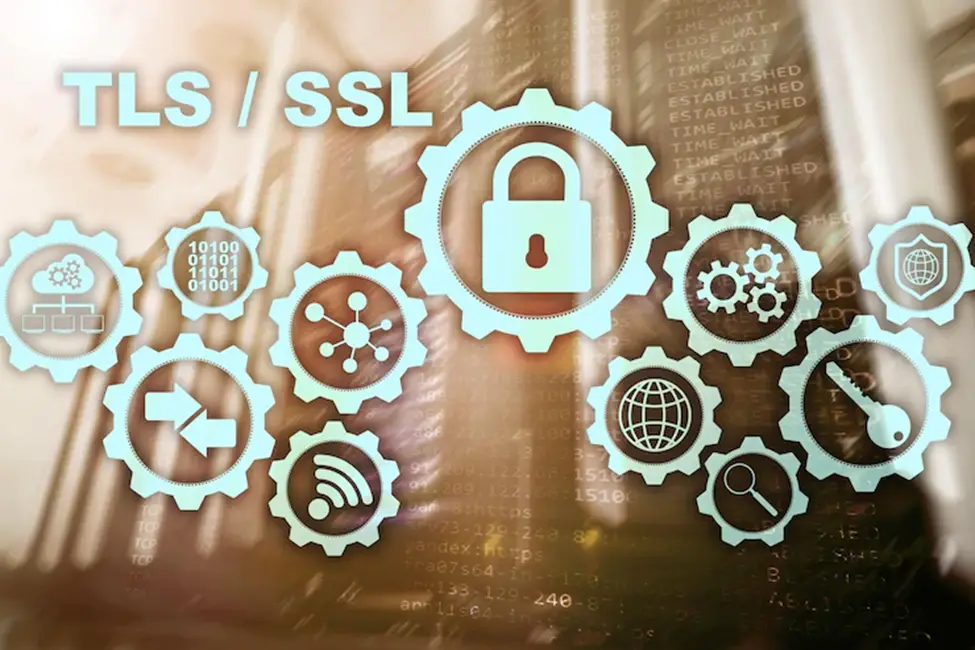
SSL or secure sockets layers is one of the most significant cryptographic protocols to secure websites and applications. It keeps the websites secure and keeps the data exchanged anonymously to hackers.
So, how to get an SSL certificate?
You can request an SSL certificate to secure apps and web apps from cyberattacks.
Here is a short guide,
- You need CSR and a private key to request an SSL certificate
- Submit the generated CSR and private key to the certificate authority
- CA will validate your identity based on CSR details
- After validation SSL certificate is issued
You can choose from different SSL certificates according to your specific requirements.
For example, if you are a small business or have a personal blog site to secure, you can choose domain-validated(DV) certificates.
However, an enterprise’s extended validation(EV) SSL certificates are the best choice.
Similarly, if you need to secure user interactions across human resources, sales, and other departments, a wildcard SSL certificate is a good choice.
Now that we know what SSL certificates are and how to get them for your website, here is how it works,
- The user tries to access the website through a browser
- The browser will validate the identity of the server
- The server will provide the browser with an SSL certificate for validation
- The browser will match the certificate with a preloaded list of valid certificates
- If checked, it will signal the server about successful validation
- The server then provides an acknowledgment which is digitally signed
- Data can be exchanged securely between browser and server
We have covered everything on the SSL certificate, but if your Python programs do not verify the certificate, here are some ways to fix it.

There can be verification errors when installing SSL/TSL certificates to your Python website or web app.
One of the most common errors is when the system does not identify the wildcard SSL certificate as a root certificate.
It occurs for several reasons like invalid certificate installation, configurational issues, or a non-compatible version of Python.
Let’s discuss issues and resolutions for your wildcard SSL certificate in Python.
Certificate verification
Certificate verification in Python is prebuilt and verifies your wildcard SSL certificate. You can use the following configuration for activation. It uses Python requests for certificate verification.
import requests
#Requests ignore verifying the SSL certificate if you set verify to False
# Making a get request
response = requests.get('https://mydomain.com/', verify=False)
print(response)
print("\n=======================================================\n")
#Requests verifies SSL certificates for HTTPS requests, just like a web browser.
response1 = requests.get('https://google.com/')
print(response1)
print("\n=======================================================\n")


#Requests ignore verifying the SSL certificate if you set verify to True (Default value)
response1 = requests.get('https://mydomain.com/', verify=True)
print(response1)
Failed verification error
One of Python’s most common issues with SSL certificates is verification error. SSL_Verify_Error can be caused due to several reasons.
First, a reason can be the improper installation of Python. This is where you can use Python Package Installer(PIP).
You can update the SSL certificate directory in Python, enabling the system to identify the digital certificates. This means no errors related to SSL verification. Here is the code that you can use for updating the directory,
pip install --upgrade certifiOnce you execute the command, you will be allowed to download files blocked earlier due to an SSL verification error.
Update Python versions
Different Python versions provide compatibility for SSL certificates. However, there are older versions that have compatibility issues.
This is why it is essential to update your Python versions to support SSL certificate verification. Python provides compatibility to SSL certification through TLS/SSL wrapper.
However, it was introduced in version 3.5 or later, so you need to update the Python for these versions.
Solutions Per Error Type
Error: SSL: CERTIFICATE_VERIFY_FAILED
This is the most common SSL error in Python. Three real fixes (in order of safety):
# Fix 1 (BEST): Update the certifi bundle that Python uses
pip install --upgrade certifi

# Fix 2: Install certificates on macOS (one-time)
# Open Finder → Applications → Python 3.x → "Install Certificates.command"
# Double-click to run

# Fix 3 (TEMPORARY DEBUGGING ONLY — never in production):
import ssl
ssl._create_default_https_context = ssl._create_unverified_context
Fix 3 disables certificate verification globally, which is a security hole. Use it only to confirm the error is certificate-related, then remove it and apply Fix 1 or 2 properly.
Error: requests.exceptions.SSLError
import requests

# Quick test — verify=False (DEBUG ONLY)
r = requests.get("https://example.com", verify=False)

# Production — point to a specific CA bundle
r = requests.get("https://example.com",
                 verify="/path/to/your/ca-bundle.crt")

# Or use the certifi bundle explicitly
import certifi
r = requests.get("https://example.com", verify=certifi.where())
Error: pip install fails with SSL
# Trust the pypi.org hosts (best for corporate networks with SSL inspection)
pip install --trusted-host pypi.org \
            --trusted-host files.pythonhosted.org \
            package-name

# Or set environment variables permanently:
# PIP_TRUSTED_HOST=pypi.org files.pythonhosted.org
The corporate-network scenario is increasingly common. Many company networks intercept HTTPS for security scanning, which means the certificate your laptop sees is the company’s, not pypi.org’s. The --trusted-host flag tells pip to skip verification for those hosts specifically.
Why You Should Never Disable SSL Verification in Production
- Man-in-the-middle attacks. Without verification, an attacker on the same network can intercept your requests, swap responses, and steal credentials. SSL exists specifically to prevent this.
- API key leakage. If you make API calls with sensitive keys and skip verification, those keys can be captured by a proxy you do not control.
- Compliance violations. ISO 27001, PCI-DSS, and HIPAA all require certificate validation. Disabling it can fail a security audit.
- Silent corruption. A misconfigured proxy might return wrong data. Without verification you cannot tell.
The right fix is always to install proper certificates, not disable verification. If your school’s network really does require it (some IT departments insist), document the workaround in your capstone, justify the risk, and switch back to verified SSL when running outside the campus network.
Common Python SSL Mistakes
- Disabling verification globally instead of per-request. Setting
ssl._create_default_https_contextaffects EVERY HTTPS call in your script, including third-party libraries. Use per-requestverify=Falseif you must disable. - Hardcoding a path to
cacert.pem. Paths break between machines. Usecertifi.where()to get the path dynamically. - Forgetting to update certifi. Certificate authorities issue new root certs over time. Run
pip install --upgrade certifievery few months to stay current. - Confusing SSL with HTTPS. SSL is the protocol; HTTPS is HTTP-over-SSL. Errors say “SSL” but they apply to HTTPS connections.
- Ignoring the InsecureRequestWarning. When you set
verify=False, Python warns you for a reason. Do not suppress it withurllib3.disable_warnings()unless you accept the security risk.
Conclusion
Python is one of the best programming languages used by many organizations, and if you are one of them, you need to resolve SSL issues.
Significantly when an SSL certificate can help you secure your Python programs, you need to fix the verification errors.
Here we have discussed some ways to resolve your wildcard SSL issues in Python. Do comment below if you have any doubt about either of the methods.
Frequently Asked Questions
How do I fix the “SSL CERTIFICATE_VERIFY_FAILED” error in Python?
Three solutions in order of safety. First, upgrade the certifi package: pip install --upgrade certifi. Second, on macOS run the “Install Certificates.command” file in your Python install folder. Third, for debugging only, temporarily disable verification with ssl._create_default_https_context = ssl._create_unverified_context, but never leave this in production code.
What does certifi do in Python?
The certifi package provides a curated bundle of root SSL certificates that Python uses to verify HTTPS connections. When your Python install does not have access to the system’s certificate store, certifi acts as a fallback. The requests library uses certifi by default. Keep it updated to handle newer certificate authorities.
Is it safe to use verify=False in Python requests?
Only for debugging or trusted internal networks. Setting verify=False disables certificate validation, which means an attacker on your network can perform a man-in-the-middle attack and intercept your traffic. Never use it for calls that send passwords, API keys, or personal data over a public network.
How do I install SSL certificates for Python on Windows?
Python on Windows uses the certifi bundle by default. Update it with pip install --upgrade certifi. If you need a corporate certificate, set the REQUESTS_CA_BUNDLE environment variable to point to your company’s .crt or .pem file: set REQUESTS_CA_BUNDLE=C:\path\to\corp-ca.pem.
Why does my Python script work in Spyder but fail with SSL in Jupyter?
Different IDEs often use different Python environments. Check which Python is running each tool: import sys; print(sys.executable). The IDE with the SSL error probably uses an older Python environment with outdated certifi. Run pip install --upgrade certifi using THAT specific Python executable to fix it.
Related Python Tutorials
- Python bisect Module Examples
- Python rstrip Method
- Lowercase Python String
- Python If Not Statement
- Python Tutorial Series (Full Index)
Official documentation
Frequently Asked Questions
What Python version does this tutorial target?
How do I install Python for this tutorial?
Do I need pip and virtual environments?
Can I use this in a Jupyter notebook or Google Colab?
Where can I find more Python practice projects?

Angel Jude Suarez
Full-Stack Developer at PIES IT Solution
Focuses on Python development, machine learning, and AI integration. Has built production AI systems including OpenAI Whisper integration for medical transcription and GPT-4o-powered diagnosis assistance. Strong background in pandas, scikit-learn, and TensorFlow.
Expertise: Python · PHP · Java · VB.NET · ASP.NET · Machine Learning · AI Integration · OpenCV · Django · CodeIgniter · View all posts by Angel Jude Suarez →