
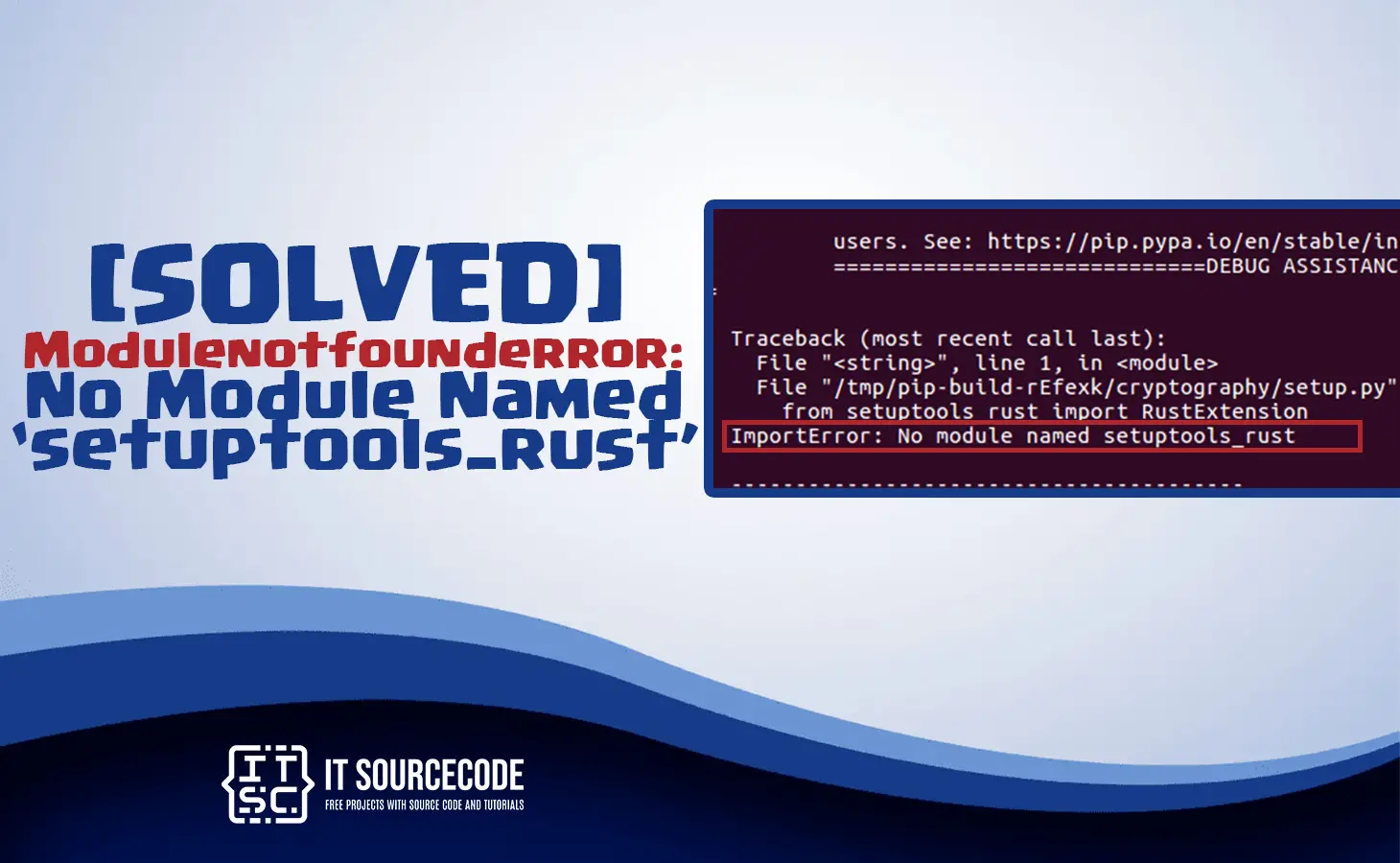
In this article, we will discuss the solutions on how to solve the No Module Named setuptools_rust.
The No Module Named setuptools_rust error appears if the “setuptools” module is not perfectly installed on the system.
Genuinely, if we need to install the Python module within the source code, make sure to create it with a setup.py file.
Furthermore, setup.py is vulnerable to setuptools or disutils.
Usually, for the new upgrades of the Python module dependencies, it uses setuptools in the area of disutils.
Also read: ModuleNotFoundError: No Module Named Termcolor [SOLVED]
Moreover, because of these reasons, when we execute the setuptools is not installed on the system and we execute the setup.py file we usually get an error.
How to solve the No Module Named setuptools_rust?
In Python language, the ” ImportError: No module named ‘setuptools_rust’ ” the error will appear because it cannot find the library package “setuptools_rust“.
The most usual cause of this error is that we have not installed the “setuptools-rust“. Decidedly with “pip install setuptools-rust“.
On the other hand, there is an error because we have various python versions in our computer. The setuptools_rust is not installed for the precise version we are using.
Steps to Fix the Error No Module Named setuptools_rust
Time needed: 5 minutes
Here are the solutions to solve the error Modulenotfounderror: No Module Named ‘setuptools_rust‘
- Step 1: Install Library setuptools_rust
First, the expected reason is that the Python does not provide “setuptools_rust” in library package. For that, we to install the setuptools_rust.
Before we import the setuptools_rust package, we should need to install it with the used of Python module name PIP. We will ensure that we already installed in our system.
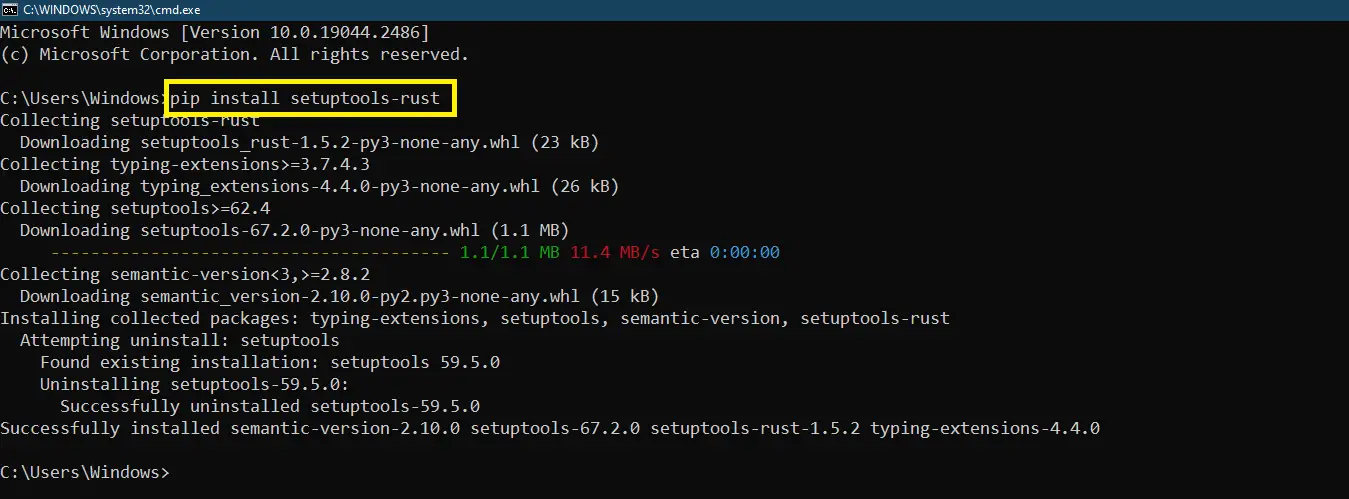
To solve this error, we will run the following command in the CMD(Command Prompt) or in project directory:
“pip install setuptools-rust“

We will use the hyphen character “–” in the pip command. We will type like this
“pip install setuptools-rust” and not this “pip install setuptools_rust“!The command to install “setuptools_rust” in our virtual environments like in Windows, Linux, and MacOS. Make sure that the pip version is updated.
“python -m pip install -U pip“
“pip install setuptools-rust“ - Step 2: Upgrading setuptools
This is the command to upgrade the current version of setuptools. Type this command for upgrading the setuptools.

Version differences might frequently result in package incompatibility. It is compatible if we upgrade them. - Step 3: Install in Linux platform
Type this command to install in Linux platform.
“pip install -U pip setuptools“Users of Linux can try the command provided below. However, make sure it is exclusive to the Linux platform.
“sudo apt-get install python3-setuptools“
- Step 4: Install in Windows Platform
Type this command to install in windows platform.
“python -m pip install -U pip setuptools“
- Step 5: Install in MacOS Platform
Type this command to install in macOS platform.

- Step 6: Fixing the Path
The error will either to continue even after we have installed the setuptools_rust library. Pip is probably installed, but it does not in the correct path we may use.
Which is why this error occurs. The script cannot find pip even if it may be present in the system. As a result, pip cannot be used to install the library in the proper location.
To solve the problem error with the path in Windows follow the steps given next.
Step 1: Open the project folder directory where the installed Python module by opening the CMD(Command Prompt) and type the command: “where python“.
Step 2: Once the Python folder has been opened, browse to the Scripts folder, open it, and copy its location. Additionally, Make sure the pip file is in the folder as well.
Step 3: With the use of the cd command and the location we previously copied, access the Scripts directory at the command prompt now.
Step 4: Use the pip install setuptools_rust command to now install the library





Diagnostic checklist for “No module named ‘setuptools_rust'”
- Verify pip install target. Run
pip show setuptools_rust— if not installed, runpip install setuptools_rust. - Check the active Python interpreter.
which python(mac/Linux) orwhere python(Windows). Both pip and python must point to the same environment. - Check virtual environment activation. If you use venv/conda, activate before installing:
source .venv/bin/activate. - Rule out uppercase/lowercase. Python imports are case-sensitive:
import PyPDF2notimport pypdf2. - Rule out the pip-vs-package-name mismatch. Some packages install under a different name than you import (e.g.
pip install beautifulsoup4→import bs4).
Installing setuptools_rust
# Standard pip install
pip install setuptools_rust

# In a virtual environment (recommended)
python -m venv .venv
source .venv/bin/activate  # or .venv\Scripts\activate on Windows
pip install setuptools_rust

# With uv (faster alternative)
uv pip install setuptools_rust
Common causes for “No module named ‘setuptools_rust'”
- Python interpreter mismatch. Multiple Python installations can confuse pip. Verify with
which pythonandwhich pip. - Virtual environment not activated. If the venv isn’t activated, pip installs to your system Python instead.
- Notebook kernel mismatch. Jupyter uses a kernel that may differ from your terminal Python. Use
%pip install setuptools_rustinside the notebook. - Import name differs from install name. pip install beautifulsoup4 → import bs4. Check the package’s PyPI page.
- Windows PATH issues. Ensure Python is on PATH; use
python -m pip installto invoke pip via the correct Python.
Working code example
# Verify install worked
import setuptools_rust
print(getattr(setuptools_rust, '__version__', 'no version attribute'))
Best practices
- Always use a virtual environment. Avoids most module-not-found errors.
- Use pip freeze to lock versions.
pip freeze > requirements.txtmakes your setup reproducible. - Consider uv or Poetry. Modern package managers with better dep resolution and reproducibility.
Official documentation
Frequently Asked Questions
What is Python ModuleNotFoundError and what causes it?
ModuleNotFoundError (a subclass of ImportError) is raised when Python cannot find the module you tried to import. Common causes: the package isn’t installed (pip install missing), wrong virtual environment activated, typo in module name, or Python can’t find your local module on the import path. The error message names exactly which module is missing.
How do I fix ‘ModuleNotFoundError: No module named X’?
Run pip install X first. If that succeeds but you still get the error, check which Python you’re using (which python OR python –version) vs which pip (which pip OR pip –version), they must match. Common gotcha: pip points to system Python 3.9 but you’re running python3.11 in a venv. Inside the venv, use python -m pip install X to be sure pip matches the active Python.
Why does my code work in one environment but not another?
Different Python versions or different installed packages. To diagnose: pip freeze > requirements.txt on the working environment, then pip install -r requirements.txt on the broken one. Use virtualenv (python -m venv venv) or conda for every project to avoid system-wide package collisions.
Is ModuleNotFoundError the same as ImportError?
ModuleNotFoundError is a subclass of ImportError added in Python 3.6. It specifically means ‘no such module exists.’ Plain ImportError covers a wider set: module exists but a name inside it can’t be imported (e.g. ‘cannot import name X from Y’). except ImportError catches both; except ModuleNotFoundError catches only the missing-module case.
Where can I find more ModuleNotFoundError fixes?
Browse the ModuleNotFoundError reference hub for 198+ specific module fixes (TensorFlow, Flask, Django, pandas, numpy, etc.). For related issues see ImportError. For broader Python setup see Python Tutorial hub.
Conclusion
To conclude, in this article we already provided the solutions to the error Modulenotfounderror: No Module Named setuptools_rust for windows, Linux, and MacOS.

Adones Evangelista
Programmer & Technical Writer at PIES IT Solution
Adones Evangelista is a programmer and writer at PIES IT Solution, author of over 900 tutorials and error-fix guides at itsourcecode.com. Specializes in JavaScript, Django, Laravel, and Python error debugging covering ValueError, TypeError, AttributeError, ModuleNotFoundError, and RuntimeError, plus C/C++ and PHP capstone projects for BSIT students.
Expertise: JavaScript · Python · Django · Laravel · Error Debugging · C/C++
· View all posts by Adones Evangelista →