
The Capstone Project Chapter 1–5 Template is designed to guide students through the most common challenges in academic research writing.
Most students aren’t stuck because they can’t code; they’re stuck because they don’t know what belongs in Chapter 1 versus Chapter 2, where the problem statement should go, what an RRL paragraph looks like in practice, or how the methodology chapter is supposed to be structured.
This template provides clarity, structure, and examples to help students organize their work and meet academic standards with confidence.
This template is the fastest way out of that stuck state.
Below is the Capstone Project Chapter 1–5 structure most BSIT capstones in the Philippines and India follow, with the actual headings, what goes under each one, and example text you can use as a starting point.
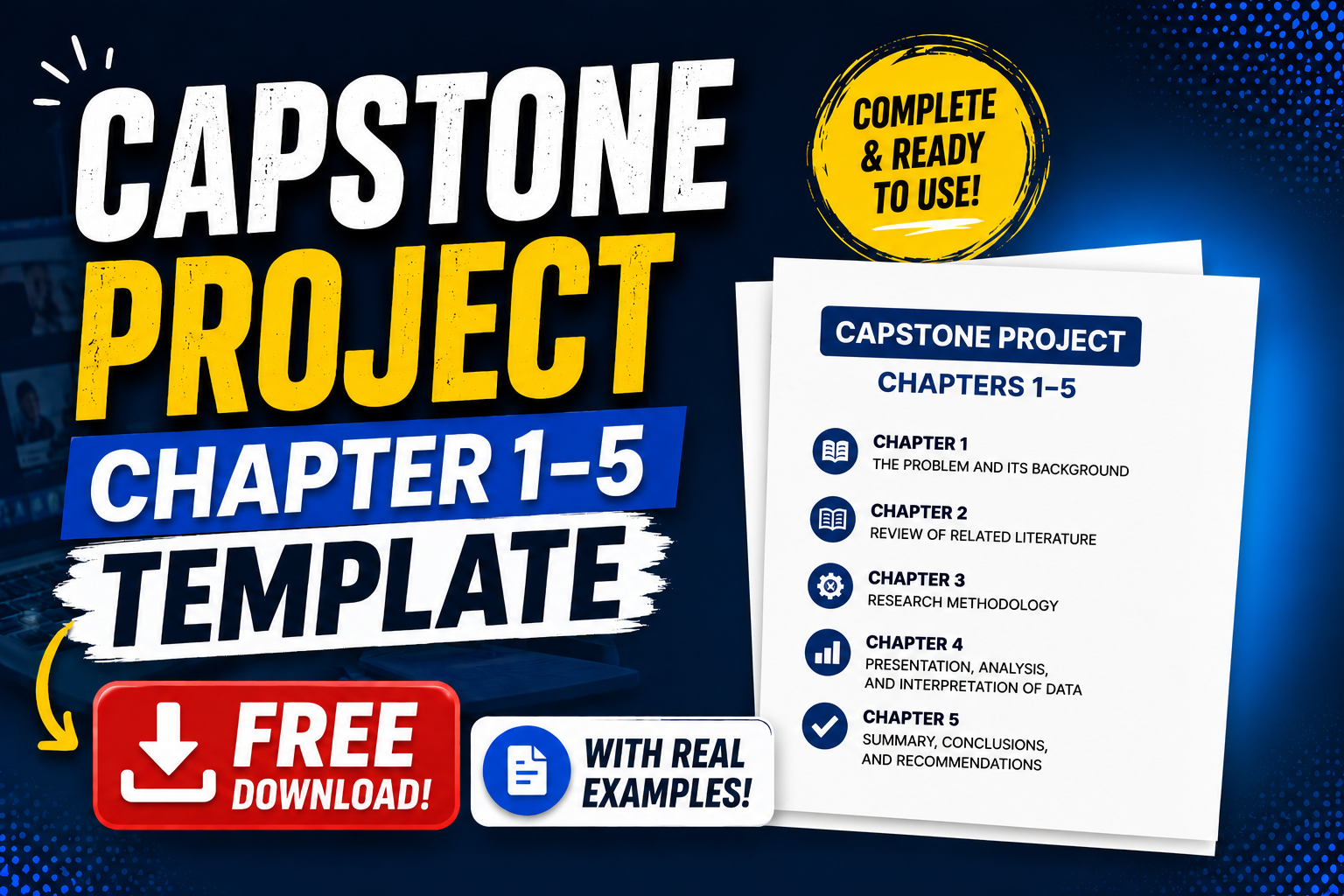
Copy the structure. Fill in the bracketed placeholders with your project’s specifics. Defense-ready in a weekend if your project is already built.
A Word version and a Google Docs version are downloadable at the end if you want to skip the copy-paste step.
The 5-chapter structure — what goes where
Quick map of where everything lives so you don’t waste time writing the right thing in the wrong place:
- Chapter 1: The Problem and Its Background — what problem you’re solving and why it matters
- Chapter 2: Review of Related Literature and Studies — what others have done and how yours is different
- Chapter 3: Methodology — how you built and tested it
- Chapter 4: Presentation, Analysis, and Interpretation of Data — what your system actually does and how well it works
- Chapter 5: Summary, Conclusions, and Recommendations — wrap-up plus what’s next
Front matter (title page, abstract, table of contents) sits before Chapter 1. Back matter (references, appendices) sits after Chapter 5. We’ll cover all of it below.
Before the chapters — front matter (the part most students forget)
Your panel sees this before they see any of your content. If it’s sloppy, they’re already skeptical when they reach Chapter 1.
The front matter, in the order it appears:
- Title Page — full project title, your names, school logo, school name, “A capstone project submitted in partial fulfillment…”, year
- Approval Sheet — signatures from adviser, dean, panel members. School provides the template
- Abstract — 150 to 300 words. Written last, read first. Template below.
Abstract Template
ABSTRACT
Title: [YOUR FULL PROJECT TITLE]
Researchers: [NAMES IN ALPHABETICAL ORDER BY SURNAME]
School: [SCHOOL NAME]
Year: 2026This study developed [WHAT YOU BUILT] to address [WHAT PROBLEM]. The system was developed using [TECH STACK] and tested with [HOW MANY USERS / DATA POINTS]. The methodology used was [AGILE / SCRUM / WATERFALL]. Results show that [KEY FINDING — typically your accuracy %, user satisfaction score, or efficiency improvement]. The study concludes that [ONE-SENTENCE CONCLUSION]. Recommendations for future research include [TWO OR THREE FUTURE IMPROVEMENTS].
Keywords: [3-5 KEYWORDS, comma-separated]
The abstract is the only thing many people will read. Write it last, after everything else is done. Most students try to write it first and end up rewriting it 4 times.
- Acknowledgments — 1 page. Adviser first, then family, then anyone who helped
- Table of Contents — auto-generated in Word using Heading styles
- List of Tables — every table that appears in chapters with page numbers
- List of Figures — every figure, screenshot, and diagram with page numbers
Chapter 1 — The Problem and Its Background
This is where panels decide whether your project has a real reason to exist. If you mess up Chapter 1, the rest doesn’t matter. The standard subsections:
1.1 Introduction
One or two paragraphs. Sets the broader context. Don’t quote dictionary definitions. Don’t say “in this modern world.” Just say what area your project sits in.
Example: “Filipino BSIT students complete capstone projects as a requirement for graduation. The capstone process involves selecting a topic, developing a working system, and defending it before a panel. Many students struggle with project topic selection, which delays the development process and reduces the quality of the final output.”
1.2 Background of the Study
Three to five paragraphs. The deep context. Where does this problem come from? Who experiences it? Why is now the right time to solve it?
Example: “Capstone topic selection has historically been one of the most time-consuming phases of the BSIT curriculum. According to [SOURCE], students spend an average of [N] weeks deciding on a project before development begins. This delay is often caused by…”
1.3 Statement of the Problem
This is the most important section in the entire chapter. Most students get it wrong by writing vague generalities. Be specific.
Structure: One main question, three to five sub-questions.
General Question:
How can a [WHAT YOU BUILT] address [SPECIFIC PROBLEM] for [SPECIFIC USERS] in [SPECIFIC CONTEXT]?Specific Sub-Questions:
- What are the current challenges of [USERS] in [SITUATION]?
- What features are required in a [SYSTEM] to address these challenges?
- How effective is the proposed system in terms of [SPECIFIC METRIC]?
- What is the level of user acceptance of the system based on usability, functionality, and reliability?
The sub-questions are usually 3 to 5 in number. Each one should map directly to a section of Chapter 4 (Results).
1.4 Objectives of the Study
Mirror the problem statement. One general objective. Multiple specific objectives.
General Objective:
To develop a [SYSTEM NAME] that [PRIMARY FUNCTION] for [USERS].Specific Objectives:
- To identify the challenges of [USERS] in [SITUATION]
- To design and develop the [SYSTEM NAME] with features for [LIST FEATURES]
- To evaluate the effectiveness of the system using [METRICS]
- To assess the user acceptance of the system using [INSTRUMENT]
Each specific objective must be measurable. “To make it better” is not measurable. “To reduce processing time by at least 30%” is.
1.5 Significance of the Study
List your beneficiaries. Be specific. Each one gets a paragraph (or 2-3 sentences).
Beneficiaries:
- [Primary user group] — They will benefit by [SPECIFIC BENEFIT].
- [Secondary user group] — They will benefit by [SPECIFIC BENEFIT].
- The Institution — The school will benefit by [INSTITUTIONAL BENEFIT].
- Future Researchers — This study provides a baseline for future work on [TOPIC AREA].
Skip “and society as a whole.” Panels hate it.
1.6 Scope and Delimitations
Two parts. The scope says what the project covers. The delimitations say what it deliberately doesn’t.
Scope:
The study covers [SPECIFIC FEATURES / MODULES]. The system was developed to be used by [TARGET USERS] in [TARGET CONTEXT]. Testing was conducted with [N] respondents over [DURATION].Delimitations:
The study did not cover [FEATURE NOT INCLUDED] due to [REASON]. The system was not tested with [GROUP NOT TESTED]. The data used was limited to [DATA LIMITATION].
This section protects you from panel questions like “why didn’t you include X?” — because you already documented why.
1.7 Definition of Terms
Alphabetical list. Define only terms specific to your project. Don’t define “computer” or “internet.” Do define your project-specific acronyms and any technical terms a non-IT panel member might not know.
CNN — Convolutional Neural Network. A type of neural network specifically designed to process visual data.
RAG — Retrieval-Augmented Generation. An AI technique where a model retrieves relevant documents before generating an answer.
TF-IDF — Term Frequency-Inverse Document Frequency. A statistical method for evaluating the importance of a word in a document relative to a collection of documents.
10 to 20 terms is typical. More than 25 is over-explaining.
Chapter 2 — Review of Related Literature and Studies
The chapter most students write wrong. It’s not a list of summaries. It’s an argument: “Here’s what others have done, here’s what they got right, here’s the gap, here’s how my project fills it.”
Standard subsections:
2.1 Related Literature
Books, official publications, government documents, expert opinions. Usually 5 to 10 sources. Split into Foreign and Local.
Each entry: one paragraph that summarizes the source AND connects it to your topic.
Example paragraph:
“According to Smith (2024) in his book Modern Capstone Methodologies, IT students often struggle with project scoping due to inadequate documentation templates. He emphasizes that early-stage scope clarity reduces development time by up to 40%. This finding directly informs the present study, which addresses scope clarity through a structured 5-chapter template.”
The bolded part — “this directly informs the present study” — is what makes it RRL instead of a book report. Every entry needs that connection.
2.2 Related Studies
Academic theses, journal articles, conference papers. Other people’s research that’s similar to yours. Usually 8 to 15 entries. Also split Foreign and Local.
Each entry: title, author, year, findings, and how it relates to your project.
Example:
“Reyes (2023), in her capstone titled AI-Powered Capstone Mentor for BSIT Students, developed a chatbot that helps students brainstorm capstone topics. Her system achieved 78% user satisfaction across 45 student respondents. The present study extends Reyes’s work by including a complete documentation template alongside the AI mentor, addressing the post-topic-selection phase that Reyes’s system did not cover.”
The “extends” or “differs from” language is critical. That’s how you establish your research gap.
2.3 Synthesis
One to two paragraphs. Connect the dots across all your literature and studies. Identify the gap your project fills.
Example:
“The reviewed literature and studies consistently identify three issues in capstone preparation: inadequate topic selection (Smith, 2024; Reyes, 2023), unclear documentation expectations (Cruz, 2022; Lim & Tan, 2024), and limited access to working examples (Aquino, 2023). While existing studies address one or two of these issues individually, no single study has addressed all three through a unified template-and-tutorial approach. This gap motivates the development of the present capstone documentation template.”
The synthesis is what panels look for. Without it, your Chapter 2 is just a book club.
2.4 Conceptual Framework
A diagram (IPO model is most common in PH) plus a paragraph explaining it.
Input → Process → Output
Input: Capstone topic ideas, student skill profiles, project requirements
Process: Template-based documentation, AI-assisted writing guidance, panel-feedback simulation
Output: Defense-ready Chapter 1-5 documentation“Figure 1 shows the conceptual framework of the study. The inputs include…”
Embed the diagram in this section. Use a tool like draw.io or Lucidchart, export as PNG.
2.5 Theoretical Framework
Optional in many schools, required in others. If required, pick one established theory that aligns with your project (Technology Acceptance Model, ISO 25010 software quality standards, ADDIE model, etc.) and explain how it applies.
Chapter 3 — Methodology
This is where your engineering meets your documentation. Standard subsections:
3.1 Research Design
Descriptive-developmental is the most common for BSIT capstones. One paragraph stating which design you used and why.
Example:
“This study employed a descriptive-developmental research design. The descriptive component documented the current state of [PROBLEM AREA] through user interviews and literature review. The developmental component involved iterative design and development of the proposed system following an Agile methodology.”
3.2 Research Locale and Respondents
Where you conducted the study and who participated.
Example:
“The study was conducted at [SCHOOL NAME] from [START DATE] to [END DATE]. The respondents were [N] BSIT students from [YEAR LEVELS], selected through purposive sampling based on the criterion of being in their capstone-development phase.”
- Specify the number of respondents.
- Specify your sampling technique (purposive, convenience, random, stratified).
- Specify why they qualified.
3.3 Research Instruments
What you used to collect data.
Example:
“The researchers used the following instruments:
- Pre-implementation survey — 15-item Likert scale questionnaire to identify documentation challenges
- User Acceptance Testing (UAT) form — adapted from ISO 25010 software quality standards, measuring functional suitability, usability, and reliability
- System logs — automated logs of user interactions for quantitative analysis”
Attach the actual instruments as appendices.
3.4 Data Gathering Procedure
Step by step. Numbered list works well here.
“Data was gathered through the following procedure:
- Permission was secured from the school administration.
- Respondents were briefed on the study and signed informed consent forms.
- The pre-implementation survey was administered.
- The system was deployed for a 4-week trial.
- UAT was conducted at the end of the trial.
- Data was tabulated and analyzed using [STATISTICAL METHOD].”
3.5 Software Development Methodology
Most BSIT capstones use Agile or Scrum. Walk through the phases.
“The system was developed using the Agile Scrum methodology. Development was organized into 6 sprints of 2 weeks each. Each sprint included:
- Sprint planning — feature selection from the backlog
- Daily standup — 15-minute team meeting
- Development — coding and unit testing
- Sprint review — demo to the adviser
- Sprint retrospective — team reflection
Figure 3.1 shows the Gantt chart of the development phases.”
3.6 System Design
This is the UML diagrams section. Include at minimum:
- Use Case Diagram — actors and what they can do
- Data Flow Diagram (Level 0 and Level 1)
- Entity Relationship Diagram — your database design
- Class Diagram — for object-oriented projects
- Activity Diagram — for processes with branches
- Sequence Diagram — for specific workflows
Embed each diagram and explain it in a paragraph.
3.7 Statistical Treatment
If you collected quantitative data, explain how you analyzed it.
“Likert scale responses were analyzed using weighted mean with the following interpretation:
- 4.50 to 5.00 — Strongly Agree (Highly Acceptable)
- 3.50 to 4.49 — Agree (Acceptable)
- 2.50 to 3.49 — Neutral (Moderately Acceptable)
- 1.50 to 2.49 — Disagree (Less Acceptable)
- 1.00 to 1.49 — Strongly Disagree (Not Acceptable)”
3.8 Ethical Considerations
One paragraph minimum. Even more important for capstones involving people’s data (medical, HR, education).
“The researchers observed the following ethical considerations:
- Informed consent was obtained from all respondents.
- Respondents could withdraw at any time without penalty.
- All collected data was anonymized.
- The study complies with the Data Privacy Act of 2012 (RA 10173).
- No deception was used in any part of the study.”
Chapter 4 — Presentation, Analysis, and Interpretation of Data
What your system actually does, and how well it works. The chapter most students bulk up with screenshots. Don’t overdo it — quality over quantity.
4.1 System Implementation
Brief overview of the deployed system. Module-by-module screenshots with one-paragraph descriptions each.
Example:
“Figure 4.1 shows the login interface of the system. Users authenticate using their school-issued credentials. Figure 4.2 shows the main dashboard, where users can access the four main modules: [MODULE 1], [MODULE 2], [MODULE 3], [MODULE 4].”
4.2 Testing Results
Functional testing results. Did each feature work? Table format works well.
Table 4.1 — Functional Testing Results
Feature Test Case Expected Result Actual Result Status User Login Valid credentials Redirect to dashboard Redirected PASSED User Login Invalid credentials Show error message Error shown PASSED Data Entry Submit valid form Save and confirm Saved and confirmed PASSED
4.3 User Acceptance Testing (UAT)
Show the actual UAT scores. Include sample size, mean scores per dimension, and interpretation.
“User Acceptance Testing was conducted with 30 respondents over 4 weeks. Table 4.2 shows the mean scores per dimension based on ISO 25010 criteria.”
Table 4.2 — UAT Results (n=30)
Dimension Weighted Mean Interpretation Functional Suitability 4.65 Highly Acceptable Usability 4.52 Highly Acceptable Reliability 4.31 Acceptable Performance Efficiency 4.18 Acceptable Overall 4.42 Acceptable
4.4 Discussion of Findings
Connect the results back to your sub-questions from Chapter 1. Each sub-question gets a paragraph here explaining what the data showed and what it means.
4.5 System Limitations Observed
Honest section. What didn’t work as planned.
“During UAT, the following limitations were observed:
- The system performance degraded with more than 50 concurrent users
- The mobile responsive layout has minor display issues on screens below 360px width
- The email notification feature requires manual SMTP configuration”
Honest limitations earn defense points. Pretending everything worked perfectly loses them.
Chapter 5 — Summary, Conclusions, and Recommendations
The shortest chapter. Tight. No new information.
5.1 Summary of Findings
One paragraph per specific objective from Chapter 1. State what you found, not what you did.
“Based on the data presented in Chapter 4, the following findings were made:
- The challenges identified by [USER GROUP] include [TOP 3 CHALLENGES FROM YOUR DATA].
- The developed system addresses these challenges through [N] core features: [LIST].
- The system achieved an overall UAT mean of 4.42, interpreted as Acceptable.
- User feedback indicated [N]% would recommend the system to peers.”
5.2 Conclusions
One paragraph per specific objective. Conclusions answer the sub-questions you posed in Chapter 1.
“Based on the findings, the researchers conclude that:
- [USER GROUP] face significant challenges in [PROBLEM AREA], which can be reduced through technology-assisted solutions.
- The developed [SYSTEM NAME] is functionally suitable, usable, and reliable based on ISO 25010 evaluation.
- The system successfully achieves its objectives of [OBJECTIVE 1] and [OBJECTIVE 2].”
5.3 Recommendations
Practical recommendations for stakeholders. Future research recommendations for future students.
“Based on the conclusions, the researchers recommend:
For [PRIMARY USERS]: Adopt the system for [USE CASE] to improve [METRIC].
For the Institution: Integrate the system into the [DEPARTMENT/PROGRAM] to support [SPECIFIC GOAL].
For Future Researchers:
- Expand the system to include [FEATURE NOT YET IMPLEMENTED]
- Conduct a longitudinal study to measure long-term impact
- Adapt the system for [DIFFERENT USE CASE OR POPULATION]
- Integrate emerging technologies such as [EXAMPLE]”
References and Appendices
References
APA 7th edition is the standard in most PH and Indian schools. Alphabetical by author surname. Hanging indent.
Aquino, M. R. (2023). AI-assisted capstone topic selection for BSIT students [Unpublished capstone project]. University of the East.
Reyes, A. B. (2023). AI-powered capstone mentor for BSIT students. Journal of Philippine Computing Studies, 12(3), 45-58.
Smith, J. (2024). Modern capstone methodologies. Academic Press.
Every in-text citation in your chapters must have a matching entry here. Use a reference manager (Zotero is free) — don’t format manually.
Appendices
Standard appendices for BSIT capstones:
- Appendix A — Source Code — printout of major files OR link to GitHub repo with hash
- Appendix B — Gantt Chart — your project timeline
- Appendix C — Questionnaire/Survey Instruments — the actual forms
- Appendix D — UAT Results (Raw Data) — anonymized respondent-level data
- Appendix E — UML Diagrams — full-page versions of all diagrams
- Appendix F — Curriculum Vitae of Researchers — one page per team member
Standard formatting requirements
Most BSIT capstones in the Philippines follow these formats. Check your specific school’s manual — some schools have stricter requirements.
- Font: Times New Roman 12pt body, 14pt chapter titles
- Spacing: Double-spaced body, single-spaced direct quotes longer than 4 lines
- Margins: 1.5 inches on the left (binding edge), 1 inch on top, bottom, and right
- Page numbers: Bottom center or top right (check your school’s preference)
- Headings: Chapter titles centered and bold in ALL CAPS; subsection headings left-aligned and bold
- Tables and figures: Numbered consecutively per chapter (Table 1.1, Table 1.2, Figure 4.1, Figure 4.2)
- Footnotes: Avoid. Use in-text citations instead.
Common mistakes that get chapters rejected
Eight patterns we’ve seen kill defenses across hundreds of BSIT capstones:
- Problem statement is too vague — “students struggle with capstone” is not a problem statement. “Students at our school complete capstone documentation 4 weeks slower than the school’s target” is.
- RRL is just summaries — every entry needs a sentence connecting it to YOUR study. No connection, no point including it.
- Methodology doesn’t match what you actually did — if you wrote Agile but actually did Waterfall, your panel will notice. Update Chapter 3 honestly.
- Chapter 4 has no data — UAT tables, testing results, screenshots are required. Don’t fill it with marketing copy.
- Chapter 5 introduces new information — Chapter 5 only summarizes what’s already in Chapters 1 through 4. New findings here are an instant red flag.
- References don’t match in-text citations — every source you cite in your chapters must appear in References, and vice versa. Zero exceptions.
- UML diagrams missing, wrong format, or unexplained — every diagram needs a paragraph explaining it in the body text.
- Inconsistent formatting — font changes mid-chapter, margins shift between sections, page numbers disappear. These are the easiest things to fix and the easiest things to lose points on.
Free download — the template in 3 formats
The full template as a downloadable file in three formats:
- Microsoft Word (.docx) — pre-formatted with headings, page numbers, and placeholder text. Best for most students.
- Google Docs (view + copy) — open in your browser, click “Use template” to copy to your Drive
- LaTeX (.tex) — for advanced students who prefer LaTeX, with
bibtexreferences file included
(Download links will be added when the files are published — Caren please update.)
If you can’t access any of these (school firewall, no Word license, etc.), the markdown structure on this page can be copy-pasted directly into Google Docs or LibreOffice and reformatted.
How to use this template effectively
Five tips from students who finished defense early using this structure:
1. Don’t write top-to-bottom. Write Chapter 1 first, then Chapter 3, then build the system (which becomes Chapter 4 raw material), then Chapter 2, then Chapter 5, and the Abstract LAST. Sequential writing kills weekends.
2. Use placeholder bracket text. Every spot in this template marked with [SOMETHING] is a placeholder. Don’t lose them. Search for [ at the end to make sure you filled in every one.
3. Update Chapter 1 as your scope changes. Your problem statement at week 1 won’t match what you actually built by week 12. Revise it. It’s not cheating — it’s accuracy.
4. Take screenshots throughout development. Chapter 4 will be much easier if you have a folder of screenshots saved during each sprint, not scrambled together the week before defense.
5. Write Chapter 5 only after the project is complete. Premature Chapter 5 means rewriting it twice when your scope shifts. Wait until your project actually works.
Frequently Asked Questions
What is the standard chapter structure for a capstone project in the Philippines?
How long should each chapter of my capstone be?
What font and spacing should I use for my capstone documentation?
Can I use this Chapter 1-5 template for my IT thesis?
Where should I put my UML diagrams in the capstone document?
Now stop staring at a blank page. Start filling in the template.
The hardest part of capstone documentation isn’t the writing — it’s deciding what to write where. This Capstone Project Chapter 1–5 structure most BSIT capstones in the Philippines and India follow, with the actual headings, what goes under each one, and example text you can use as a starting point.
template eliminates that. The structure is here. The headings are here. The example text is here. All you have to do is replace the bracketed placeholders with your project’s specifics.
The students who defend on schedule aren’t the ones with the best projects. They’re the ones who started writing documentation in week 4, not week 14.
For the UML diagrams your Chapter 3 requires, our UML guides cover every diagram type with complete examples. If you haven’t picked your capstone topic yet, browse 150 Best Capstone Project Ideas for IT Students 2026.
For free working source code to study and reference in Appendix A, see our Python projects library and our free projects library for other stacks.
Now download the template. Open Chapter 1. Fill in the first bracket.