
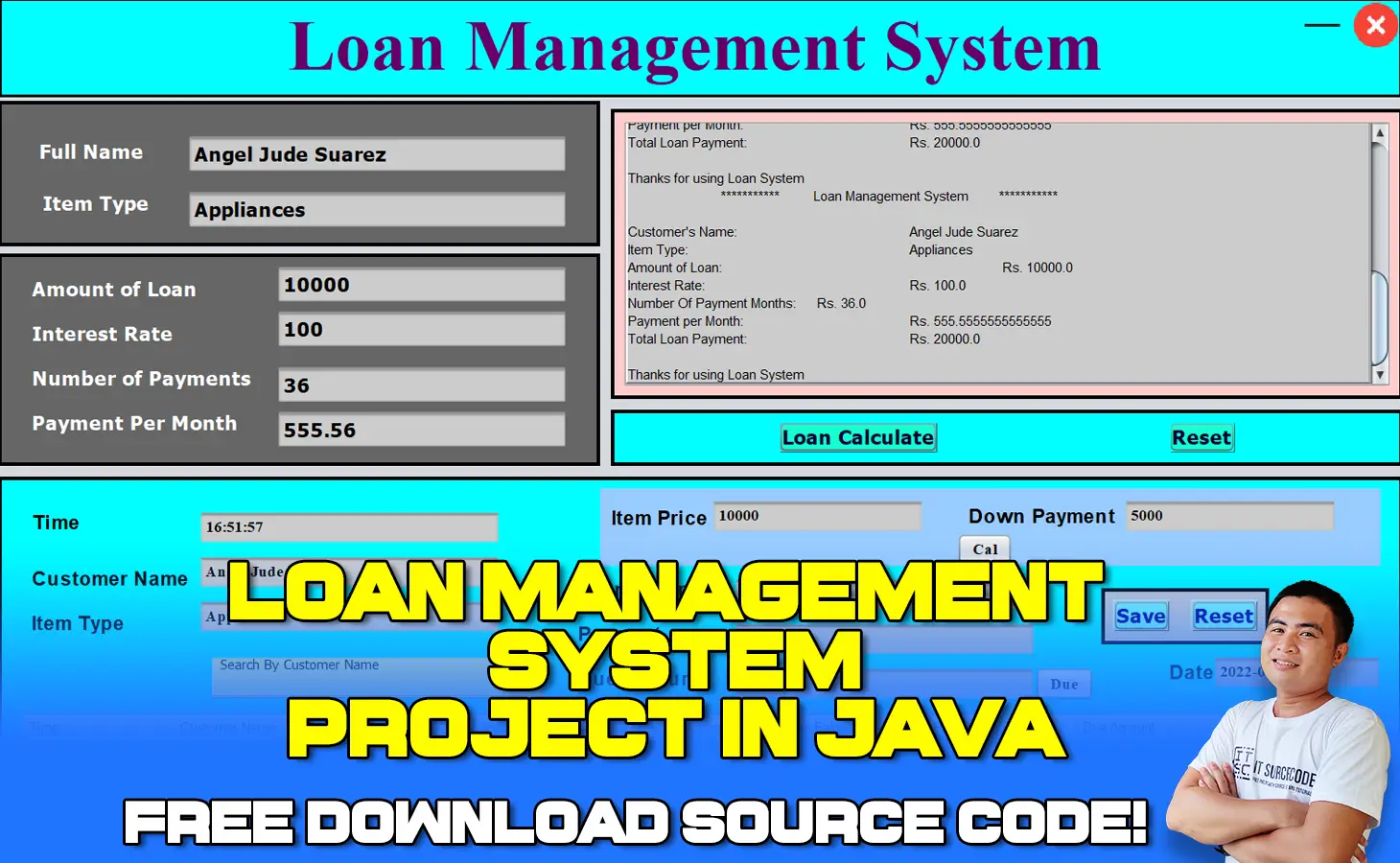
What is Loan Management System Project in Java?
A Loan Management System Project in Java is a digital platform that helps automate every stage of the loan lifecycle.
From application to closing, the typical loan management method is precise and time-consuming, and it necessitates gathering and confirming information about applicants, their reliability, and their credibility.
In addition, the procedure include calculating interest rates and overseeing payments.
Loan servicing software not only automates these processes, but also offers lenders and borrowers with relevant statistics and insights.
How Loan Management System in Java Improves the Lending Experience?
The assignment, computation, and management of loans is a complicated process.
As a result, errors can occur at any point, from incorrectly assessing a company’s or individual’s legitimacy to calculating and reporting.
Furthermore, the entire loan process necessitates the collaboration of multiple personnel and requires a significant amount of time and effort.
Failure to follow a variety of regulations can result in fines and restrictions, as well as a bad influence on the company’s reputation. Furthermore, younger clients find the traditional lending process to be tedious and boring.
As a result, millennials and Generation Z are more interested in companies that provide digital-only experiences.
How to Select a Loan Management Software?
Choosing the right loan management system from a profusion of options might be difficult.
However, there are a few criteria that businesses should follow while choosing loan management software.
How Much Does It Cost to Make a Loan Management Solution?
Out-of-the-box solutions will almost certainly not work in many circumstances, therefore you may have to consider developing your own loan management application.
If you want to build your solution in-house, the total cost will include the cost of hiring and onboarding required experts, as well as the cost of development tools and infrastructure resources.
Although the costs will be higher than if you hired a product development agency, this technique may be justifiable if you want to maintain all of the expertise in-house and want to build more financial software as part of your business strategy.
Loan Management System Project in Java: Project Details and Technology
| Project Title: | Loan Management System Project in Java |
|---|---|
| Abstract : | Loan Management System in Java is used for computerization of back office activities involved in loan application processing work. |
| Project Type: | Desktop Application |
| Technology : | NetBeans Version 11.2 |
| Database : | MySQL |
| Developer: | IT Source Code |
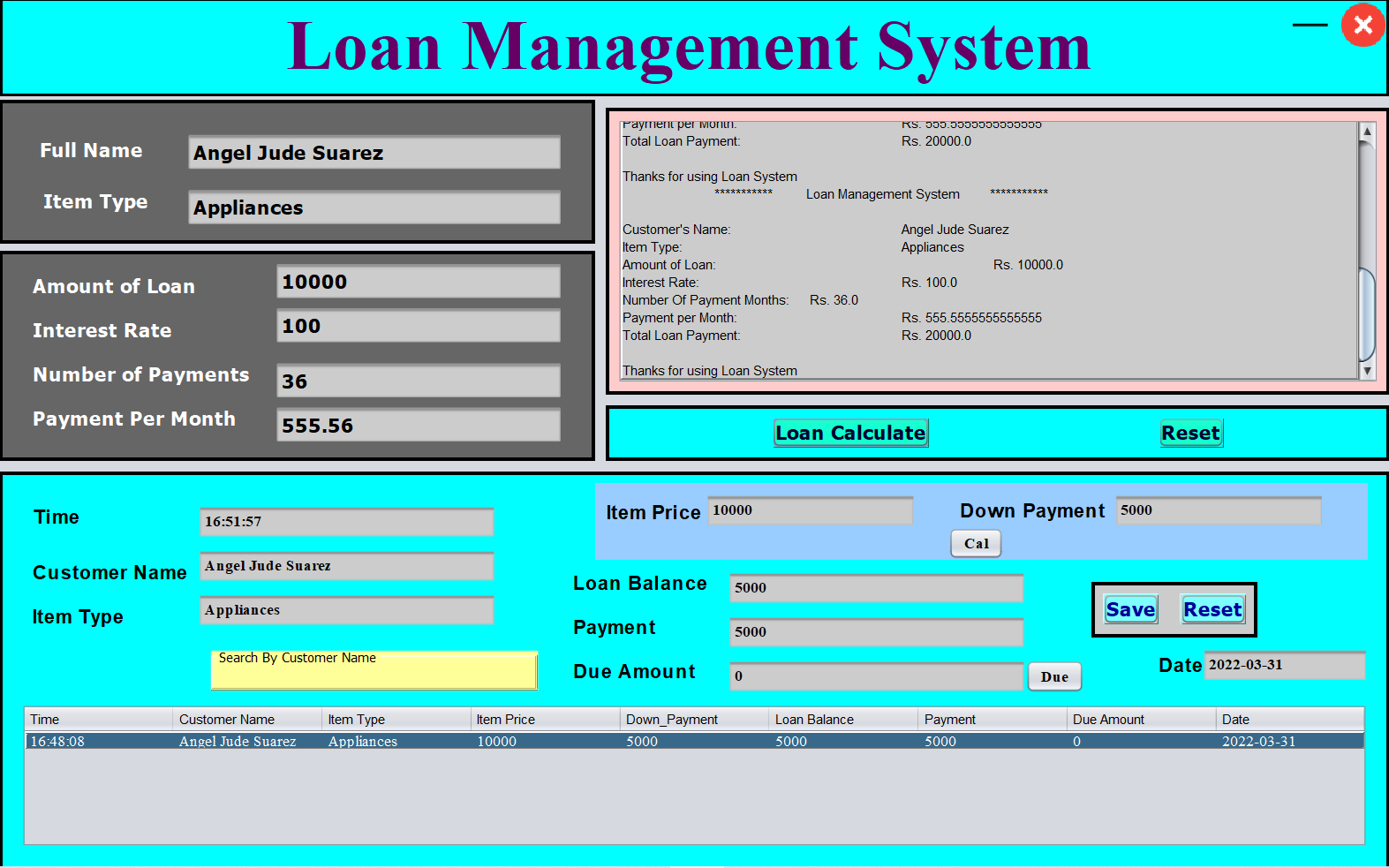
Project Output
Anyway, if you want to level up your programming knowledge, especially Java, try this new article I’ve made for you Best Java Projects With Source Code For Beginners Free Download.
To start executing a Loan Management System Project in Java with Source Code, makes sure that you have NetBeans IDE or any platform of Java installed in your computer.
Steps on how to run Loan Management System Project in Java with Source Code
Time needed: 5 minutes
Loan Management System Project in Java with Source Code
- Step 1: Download source code.
First, download the source code given below.

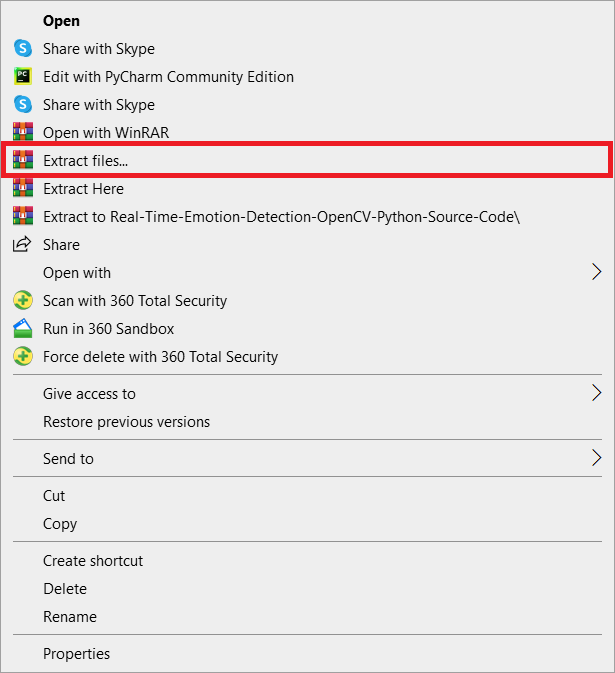
- Step 2: Extract file.
Second, after you finished download the source code, extract the zip file.

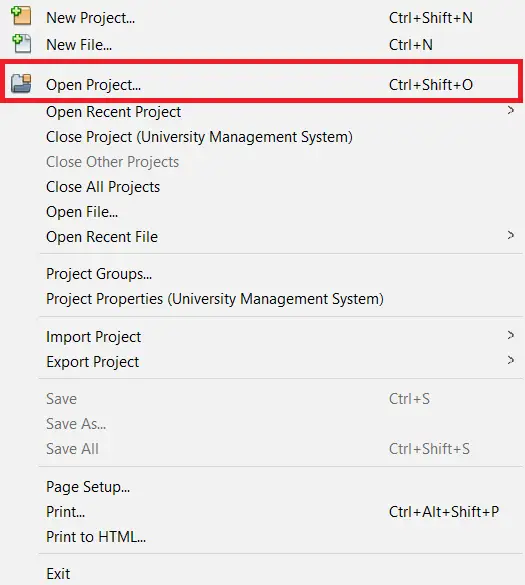
- Step 3: Click open project.
Third, open NetBeans IDE and click open project and choose your download source code.

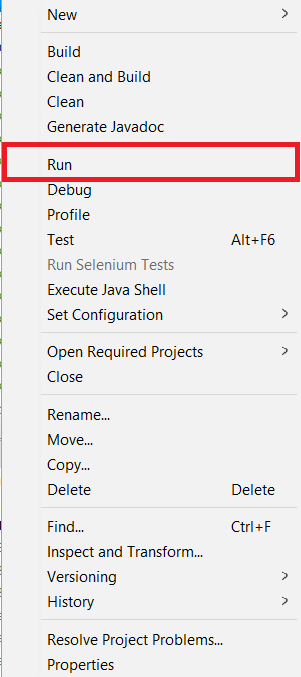
- Step 4: Run the project.
Last, right click the project folder and click run.


Download Source Code below
Summary
This System Project is a fully functional system that create using Graphical User Interface (GUI) in Java and connected to MySQL Database as the system’s back-end.
Related Articles
- Laravel Loan Management System Project with Source Code
- Loan Management System ER Diagram | Entity Relationship Diagram
- Loan Management System DFD Levels 0 1 2 | Data Flow Diagram
- Loan Management System Project in Django with Source Code
- Loan Management System Project In PHP With Source Code
Inquiries
If you have any questions or suggestions about Loan Management System Project in Java with Source Code, please feel free to leave a comment below.
Technology stack and requirements
To run this Java project on your development machine, you need:
- Java Development Kit (JDK) 17 or higher. Download from adoptium.net (Eclipse Temurin) or oracle.com. JDK 21 LTS is recommended for new projects.
- Apache NetBeans or IntelliJ IDEA. Free IDEs with Java support, debugging, and GUI form designer.
- MySQL Server or MariaDB. Standalone install, or bundled with XAMPP for easier setup.
- MySQL Connector/J. JDBC driver JAR file included in the project’s lib folder or downloadable from dev.mysql.com.
- Git (optional). For version control if you want to extend the project.
Installing the source code
- Extract the ZIP archive to a folder outside Program Files.
- Open the project in NetBeans or IntelliJ. Choose File then Open Project and select the extracted folder.
- Import the database. Open phpMyAdmin (with XAMPP) or MySQL Workbench, create a new database, and import the .sql file from the archive.
- Update the JDBC connection string. Open the DatabaseConnection.java (or config file) and set your database host, name, user, and password.
- Add the MySQL Connector JAR to the classpath. Right-click Libraries then Add JAR, select mysql-connector-java-x.x.x.jar.
- Run the project. Press F6 (NetBeans) or Shift+F10 (IntelliJ) to run the main class.
Using this project for your BSIT capstone
- Chapter 1 (Introduction). Discuss the real-world problem this Java system solves. Cite Philippine business or academic use cases.
- Chapter 2 (RRL). Compare this project against 5-10 similar published works. Cite ACM, IEEE, or IJERT journal papers.
- Chapter 3 (Methodology). Include Use Case Diagram, DFD, ER Diagram, Class Diagram, and Sequence Diagram.
- Chapter 4 (Results). Screenshot each Swing form or JavaFX view with a caption explaining its role.
- Chapter 5 (Conclusion). Identify features for Version 2 (Spring Boot web version, REST API, mobile app).
Modules typical of Loan Management System Project
- Account master. CRUD for customer or account records with contact info.
- Transaction entry. Payment, disbursement, or transfer forms with validation.
- Interest / fee computation. Business logic for loan interest, service charges, penalties.
- Reports. Daily / monthly summaries with beginning + ending balance.
- Audit trail. Every transaction logged with user, timestamp, before/after values.
Common enhancements for capstone review
- Payment gateway integration. Connect with GCash, PayMaya via their Java SDK.
- Email notifications. Auto-send receipts using JavaMail API.
- PDF report generation. iText or Apache PDFBox for printable statements.
- Multi-currency support. Extend for international transactions.
Official documentation
Frequently Asked Questions
How does this Java loan management system work?
Borrower registration, loan application workflow, credit assessment, disbursement, amortization schedule generation, payment tracking, delinquency reports.
What Java JDK and MySQL versions does this project require?
Most projects in this batch use Java JDK 8 or 11 with MySQL 5.7+ or MariaDB 10+. To run: install JDK (Adoptium / Oracle), install MySQL Server + MySQL Workbench, install NetBeans IDE (15+ supports modern JDK), open the project (.zip extracted folder), right-click + Open Project, add MySQL JDBC driver to Project Libraries, run.
How do I set up the database for this Java project?
Open MySQL Workbench (or phpMyAdmin if you have XAMPP), create a new empty database with the name specified in the project. Import the included .sql file via Server, Data Import in Workbench (or Import tab in phpMyAdmin). Update the connection class (usually DBConnection.java or DatabaseConnection.java) with your MySQL host, port, username, password, and database name.
Can I use this Java project for a BSIT capstone or thesis?
Yes, Java is one of the most accepted languages by Philippine BSIT panels. Extend it: add role-based access (admin/staff/customer login redirect), JasperReports printable reports, dashboards with JFreeChart, audit log, multi-branch support. Pair with Chapter 1-5 documentation matching your panel’s rubric.
Why am I getting ‘ClassNotFoundException: com.mysql.jdbc.Driver’ or ‘No suitable driver’?
Three common Java JDBC issues: (1) MySQL JDBC driver JAR not added to project Libraries. Right-click Project, Properties, Libraries, Add JAR/Folder, select mysql-connector-java-X.X.X.jar. (2) Wrong driver class name. Modern (8.0+) uses com.mysql.cj.jdbc.Driver, legacy (5.x) uses com.mysql.jdbc.Driver. (3) Connection URL missing serverTimezone parameter, add ?serverTimezone=UTC to the URL.
Where can I find more Java projects with source code?
Browse the Java Projects hub for the full library (120+ Java desktop systems). For modern Java web alternatives consider Spring Boot. For other desktop stacks see VB.NET Projects or C# Projects. For BSIT capstone idea lists see 150 Best Capstone Project Ideas.

Angel Jude Suarez
Full-Stack Developer at PIES IT Solution
Focuses on Python development, machine learning, and AI integration. Has built production AI systems including OpenAI Whisper integration for medical transcription and GPT-4o-powered diagnosis assistance. Strong background in pandas, scikit-learn, and TensorFlow.
Expertise: Python · PHP · Java · VB.NET · ASP.NET · Machine Learning · AI Integration · OpenCV · Django · CodeIgniter
· View all posts by Angel Jude Suarez →