
The short answer
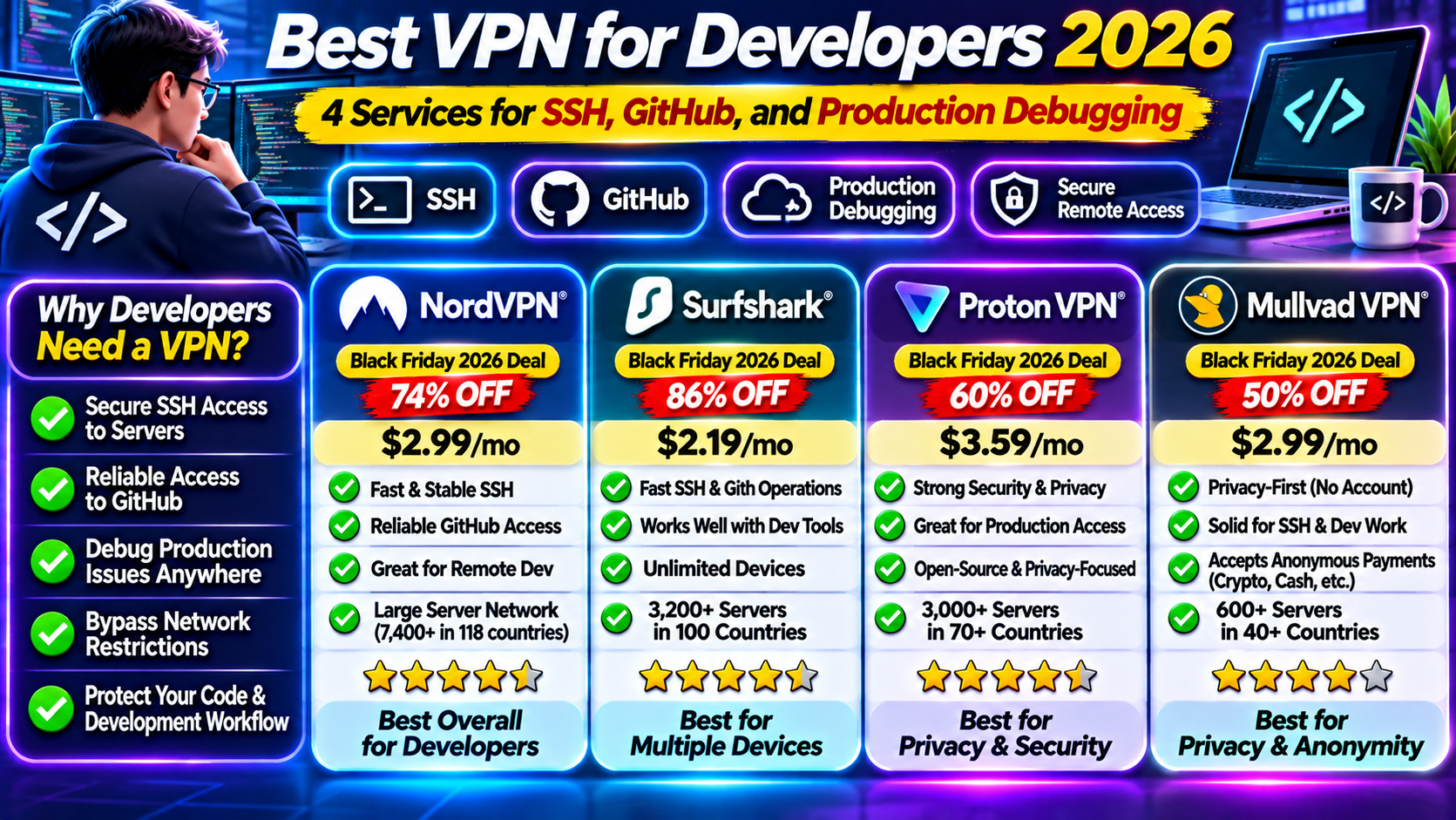
Best VPN for developers 2026: NordVPN for speed and dedicated IP add-on, Mullvad for anonymous payment and privacy, ProtonVPN for split tunneling plus Linux power, and Private Internet Access for open-source apps and port forwarding. Pick based on what you actually do: SSH, scraping, production debugging, or just privacy on coffee-shop WiFi.
Most VPN roundups are written for people who want to watch Netflix. This one is for developers: what you need for SSH sessions on public WiFi, scraping without getting blocked, debugging production from a client office, and keeping your work IP off the internet.
What makes a VPN good for developers specifically
The feature list for developers is different from general-use VPN picks:
- Split tunneling. Route only specific apps through the VPN. Docker and local dev servers stay on your real IP; browser and SSH go through VPN. Non-negotiable if you run containerized dev environments.
- WireGuard or WireGuard-based protocol. WireGuard is the de facto standard now. Faster, lower latency, better for interactive SSH than OpenVPN.
- Port forwarding. Essential if you want to run a self-hosted service through the VPN or use the VPN as a jump-box.
- Dedicated IP option. If you SSH into servers that whitelist IPs, you need a dedicated IP. Shared IPs change constantly and will lock you out.
- CLI and Linux support. Most devs have at least one Linux machine. Many have 5. The app better work on Debian without a GUI.
- No session timeouts during long operations. Running a 4-hour rsync or a long-running scraper should not drop the connection.
- Pays attention to actual privacy. Audited no-logs, open-source clients where possible, no email or IP collection at signup.
Netflix streaming is a bonus, not the point.
NordVPN: best all-rounder VPN for developers 2026
NordVPN is the default pick for most developers. Here is why:
- NordLynx (their WireGuard implementation) has the best speed-to-latency tradeoff we have tested. SSH sessions feel almost like direct connections on nearby servers.
- Split tunneling available on Windows and Android (not yet on Mac or iOS, so this is a tradeoff if you are an Apple shop).
- Meshnet (free) lets you build a private peer-to-peer VPN between your devices. Useful for accessing a home NAS or a dev server behind CGNAT.
- Dedicated IP add-on: $70/year. Static IP that stays the same for your account. Required if your work resources whitelist IPs.
- Linux client is CLI-first with full feature parity. systemd service works out of the box.
- Audited no-logs policy (PwC, 2024).
Price: $2.99/mo on the Black Friday 2026 Standard plan (74% off + 3 months free, runs through Dec 11).
Pick NordVPN if you want the best balance of speed, server count, and dev-friendly features without going niche.
Mullvad: best privacy-first VPN for developers
Mullvad is the pick when “nobody should know this is my traffic” matters. It is run by a small Swedish team that takes privacy seriously:
- Signup requires zero personal information. You get a random account number. No email, no username.
- Accepts anonymous payment: cash (yes, physical cash mailed to Sweden), Monero, Bitcoin, bank transfer, card.
- WireGuard everywhere. Native WireGuard config export so you can run it on your own routers or minimal Linux servers.
- Flat pricing: 5 EUR/month. No multi-year discounts. No lock-in. No Black Friday deal. The lack of a BF deal is deliberate, which tells you a lot about how they operate.
- Open-source apps on every platform.
- Does not pretend to unblock Netflix. Streaming is unreliable, and that is by design.
Price: 5 EUR/month flat, no discount.
Pick Mullvad if your threat model includes “VPN provider colluding with authorities.” If you just want a cheap VPN for coffee shop WiFi, Mullvad is overkill. If you have a reason to care, nothing else is close.
ProtonVPN: best split tunneling and Linux power
ProtonVPN is the developer-friendly choice when you need split tunneling across all platforms (including Linux and Mac) and you also want Swiss-jurisdiction privacy:
- Split tunneling on Windows, Mac, Linux, Android, and iOS. Rare to have it on all five platforms.
- Secure Core: traffic routes through a Swiss or Icelandic bastion before exiting to the target country. Double-hop at no extra cost. Useful when debugging from a jurisdiction that blocks VPN use.
- Linux CLI is first-class with full feature access. Debian, Ubuntu, Arch, Fedora official packages.
- Port forwarding on the Plus plan (useful for self-hosted services behind NAT).
- Open-source apps on every platform. Independently audited (Securitum, 2024).
- Free tier (useful fallback: unlimited bandwidth, 5 countries, 1 device) if a paid plan ever lapses.
Price: $2.99/mo on Black Friday 2026 Plus plan (24-month term).
Pick ProtonVPN if you need split tunneling on Linux and Mac, you want port forwarding, or you want open-source apps with Swiss jurisdiction.
Private Internet Access: best open-source and port forwarding
PIA is the budget-friendly dev pick when port forwarding and open-source apps matter more than Swiss privacy posture:
- All apps are open-source (Windows, Mac, Linux, Android, iOS). You can audit the code or self-compile.
- Port forwarding available on supported servers (needed for seedbox, self-hosted Plex, or Dev-ops jump boxes).
- Linux client is CLI-first with excellent documentation. Works on Arch, Debian, Fedora, Mint.
- WireGuard support with configurable encryption levels (AES-128 for max speed, AES-256 for max security).
- Audited no-logs policy (Deloitte, 2022).
- US-based (Five Eyes). Weighed against the audit record and open-source apps, this is acceptable for most dev threat models.
Price: $2.03/mo on Black Friday 2026 (36-month term + 3 free months).
Pick PIA if you need port forwarding, you want open-source apps, you use Linux heavily, and you can live with US jurisdiction.
Which VPN should you actually pick based on what you do
Short decision tree:
- You SSH into servers from various networks (coffee shops, client offices). NordVPN with dedicated IP add-on. Static IP, fast WireGuard, reliable.
- You scrape websites or run automation at scale. NordVPN with dedicated IP (less likely to hit shared-IP rate limits), or Mullvad if you specifically want anonymous payment.
- You run self-hosted services (seedbox, Plex, Jellyfin, game servers). PIA or ProtonVPN for port forwarding.
- You need to double-hop through a privacy-friendly jurisdiction. ProtonVPN Secure Core.
- You are a privacy maximalist or have threat-model reasons to care. Mullvad.
- You just want VPN for occasional WiFi protection and a bit of streaming. NordVPN Standard. Do not overbuy.
- You are a Linux-only developer and want open-source everything. PIA or Mullvad.
Honest take: I personally run NordVPN for everyday and Mullvad on my Linux dev machines where I care about traffic analysis. Two accounts, different purposes. Costs me about $8/month total and covers the full threat spectrum.
Gotchas every developer should know before buying
- Docker on macOS routes all traffic through the host network. VPN at the OS level will capture container traffic. If you do not want this, use split tunneling on Windows or Linux instead.
- WireGuard does not survive network changes gracefully on all clients. If you switch from WiFi to cellular mid-SSH, the session may drop. Set your SSH client’s ServerAliveInterval low.
- Some VPN providers block SMTP port 25 on non-business plans to prevent spam. If you send mail from a dev VM, confirm this before signing up.
- Kill switch should be enabled for everything. Without it, a VPN disconnect briefly exposes your real IP, which defeats the point for privacy-sensitive work.
- Dedicated IPs are per-user and persistent. Treat them like a secret and do not share across untrusted contexts.
Official documentation
Try the Black Friday deals
The link below is an affiliate link. We may earn a commission at no extra cost to you. See our affiliate disclosure for details.
- NordVPN Black Friday 2026: 74% off + 3 months free (best all-rounder for developers)
Best VPN for Developers 2026 FAQ
What is the best VPN for a developer who needs to SSH into production servers?
NordVPN with the dedicated IP add-on ($70/year extra). You get a static IP that stays the same across sessions, which means you can whitelist it in your production security groups without constantly updating the allowlist.
Which VPN has the best Linux support for developers?
Private Internet Access and Mullvad are both excellent. Both ship first-class CLI apps with full feature parity, official packages for Debian/Arch/Fedora, and open-source code you can audit. ProtonVPN is close behind with first-class Linux CLI too.
Does split tunneling actually work on Linux?
Yes with ProtonVPN and Mullvad. Both support split tunneling on Linux properly (by app or by subnet). Most other VPN providers only support split tunneling on Windows and Android, which is a dealbreaker for dev workflows that run on Linux.
Can I use a VPN with Docker and local dev containers?
On macOS, Docker Desktop routes through the host network, so your OS-level VPN will capture Docker traffic. On Linux, Docker uses its own network bridge by default, which usually bypasses the VPN unless you configure it explicitly. Split tunneling is the cleanest fix on both OSes.
Which VPN supports port forwarding for self-hosted services?
Private Internet Access and ProtonVPN both support port forwarding on specific servers. Useful for running a seedbox, Plex, Jellyfin, or dev-ops jump boxes through the VPN. NordVPN and Mullvad do not currently support port forwarding.
Why do you recommend running two VPNs (NordVPN + Mullvad)?
Different threat models for different work. NordVPN handles everyday speed-sensitive work (browsing, streaming, SSH). Mullvad handles work where privacy matters more than speed (research, anonymous communication, scraping sensitive targets). Two accounts cost about $8/month total and cleanly separate the two use cases without compromising either.