
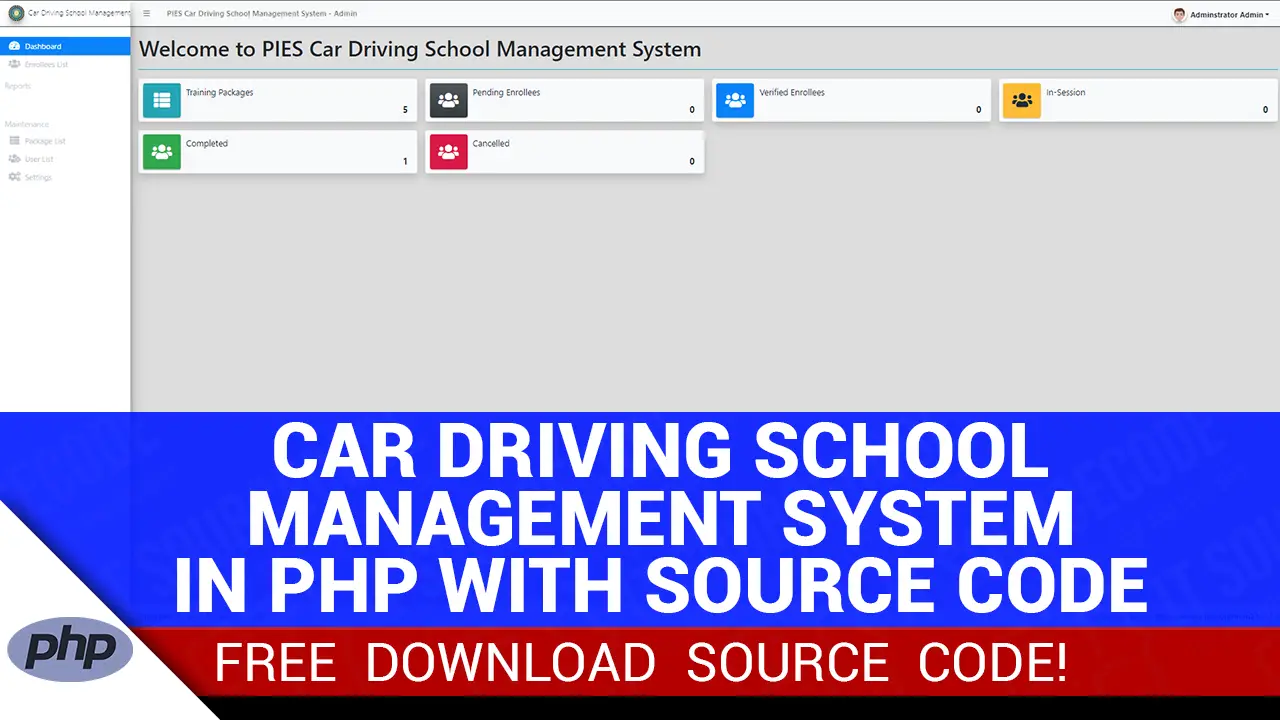
In this article, we will discuss how to run the Car Driving School Management System in PHP. Also, we will discuss the important project features, such as those on the admin side and the client side.
The Car Driving School Management System is created in PHP/OOP and uses MySQL Database. This system is a web-based application that is to be implemented in online platform to manage the Driving Schools Enrollees’ Records.
Furthermore, the management will be able to easily retrieve and update the records of its enrollees. Besides, this system is easy to understand, thus the functionalities and the user interface are pleasing.
Here are the following tools for creating the Car Driving School Management System:
| XAMPP VERSION | XAMPP v3.3.0 AND PHP Version is 7.4.33 |
| Language | PHP Language |
| Database | MySQL Database |
| Interface and Function | HTML, CSS, JavaScript, jQuery, Ajax, Bootstrap, |
| Template | AdminLTE Template |
About the Project
The Car Driving School Management System Project using PHP will show dynamic details on the public website. In every data, it will manage and update only by the admin management.
All the student visitors can read the welcome message on the website.
In addition, it will show all the list of all training packages that the school provided and all the enrollees. For the Admin Side, there are two types of users which are the admin and staff management.
Furthermore, the admin will be able to manage all the features and functions of the system and for the staff it is only limited to the system which required permission to access it.
This system can also generate print of the enrollee’s details and date payment reports.
Admin Features
- Login/Logout Security – This system has secure login and logout session.
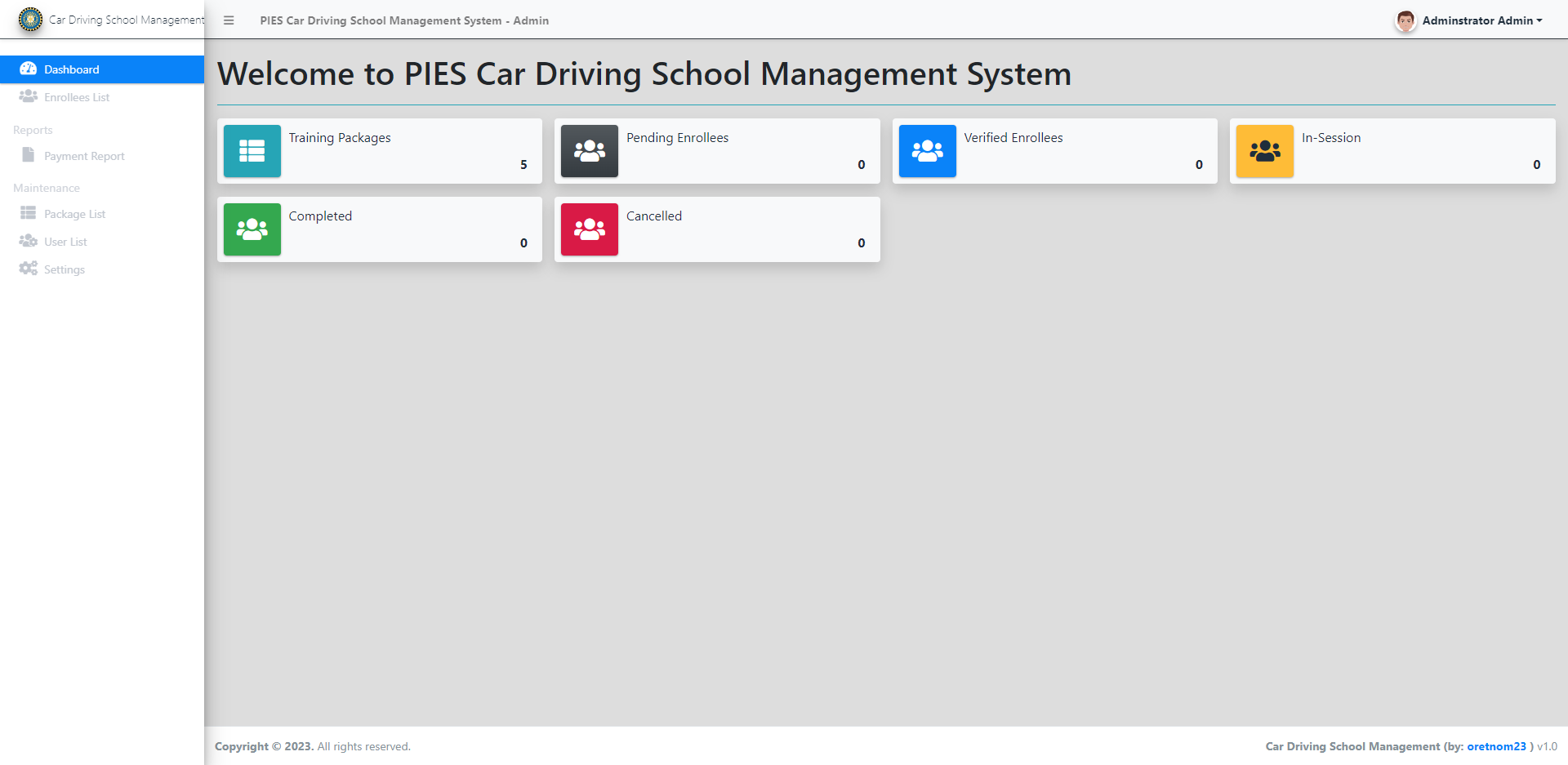
- Dashboard – For the dashboard, it will show the application summary.
- Training Packages Management – For Training Packages, it will add, update, search, view and delete training package information.
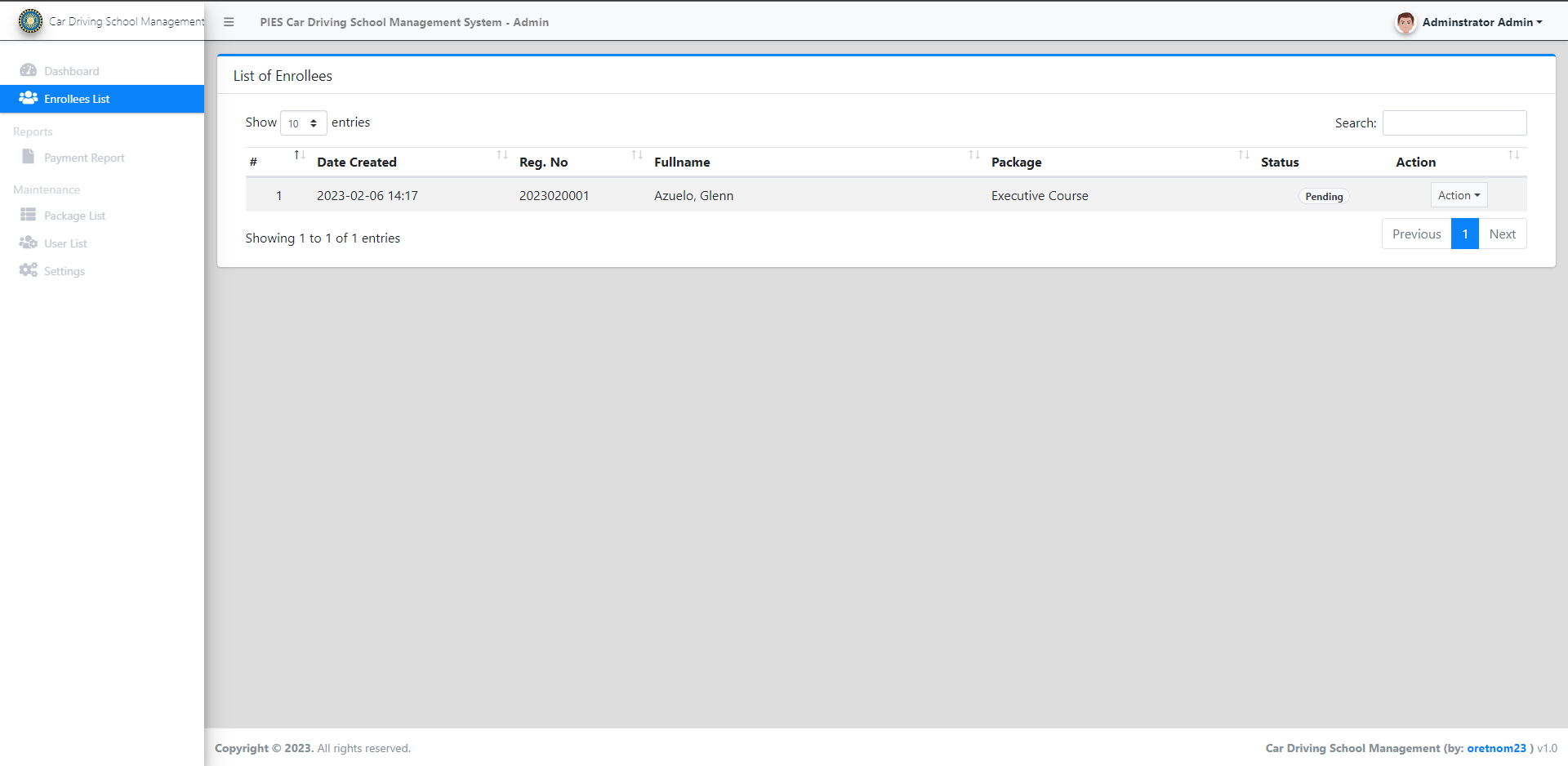
- Enrollees Management – For enrollees, List All Enrollees, View Enrollee’s Details, Update Status, Add Payment, Delete Payment, Print Details and Delete Enrollee’s Details.
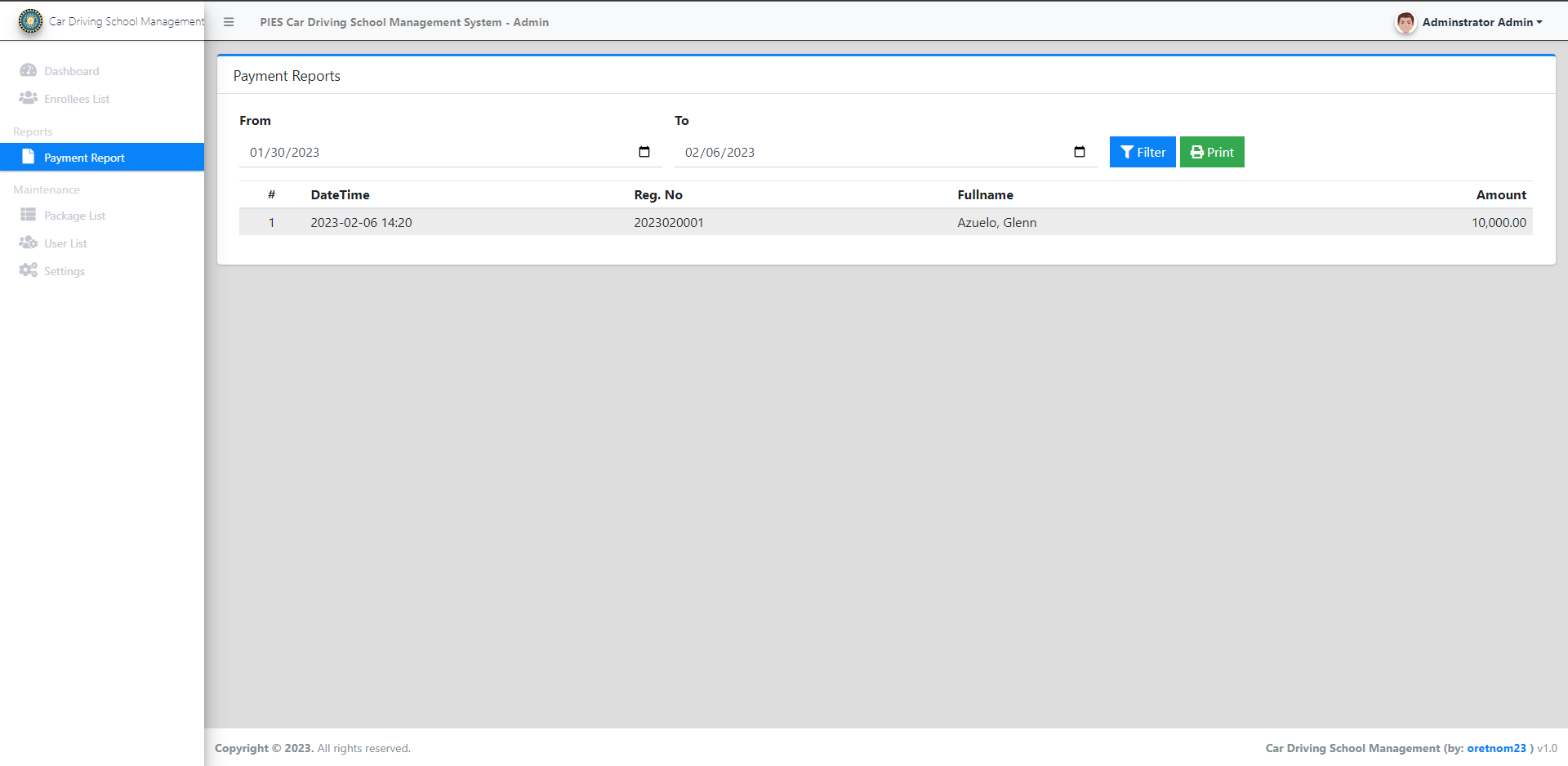
- Generate Printable Date Payment Report – the admin can Generate Printable Date Payment Report.
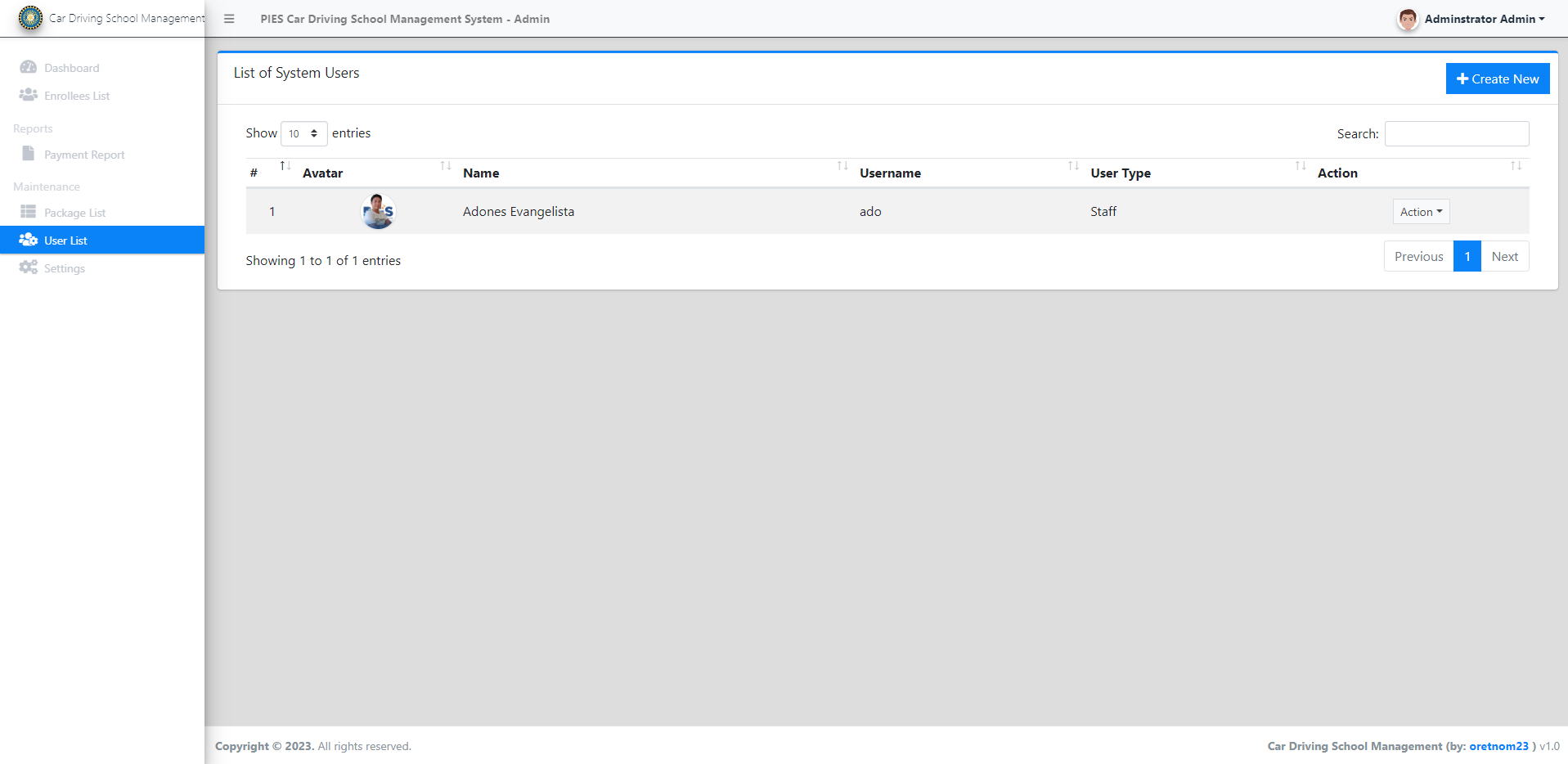
- User Management – For the user, it will add, update, search, view and delete user information.
- System Information Management – For the system information, it will compose of Website Details, School’s Details, Welcome Page Content, and About Us Page Content.
- Modify Account Credentials – The admin can also modify account credentials.
Public Side Features
- The enrollees will be able to view the Home Page
- The enrollees will be able to Display Welcome Content
- The enrollees will be able to Display About Content
- The enrollees will be able to Display Driving School’s Contact Information
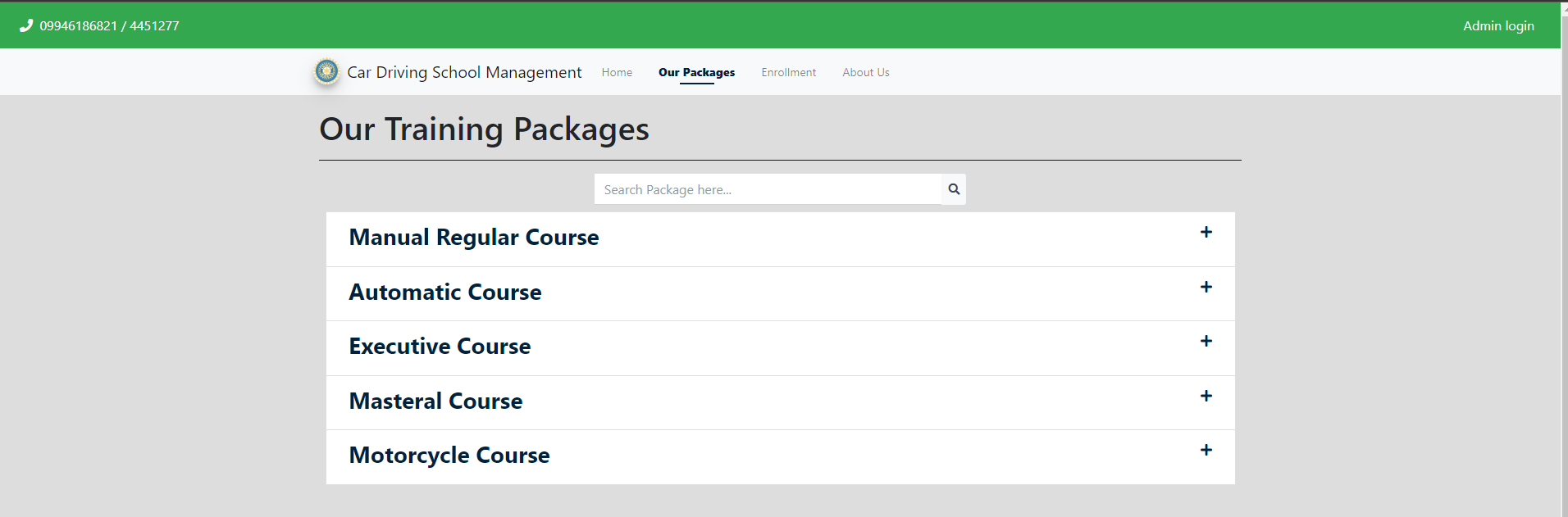
- The enrollees will be able to see List Training Packages
- The enrollees will be able to Search Packages
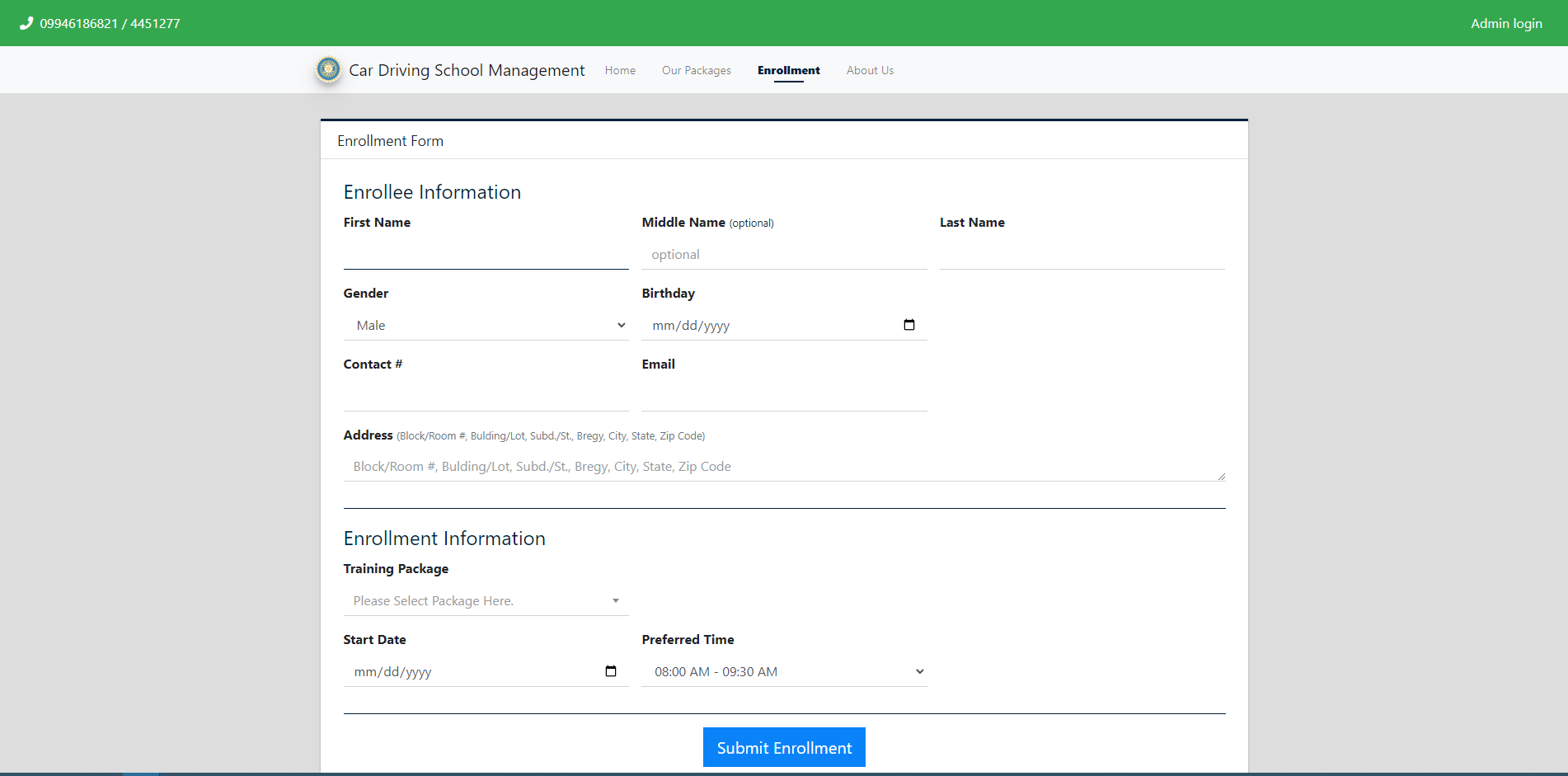
- The enrollees will be able to Enroll to Driving School
Sample Image of the System
CLIENT PANEL
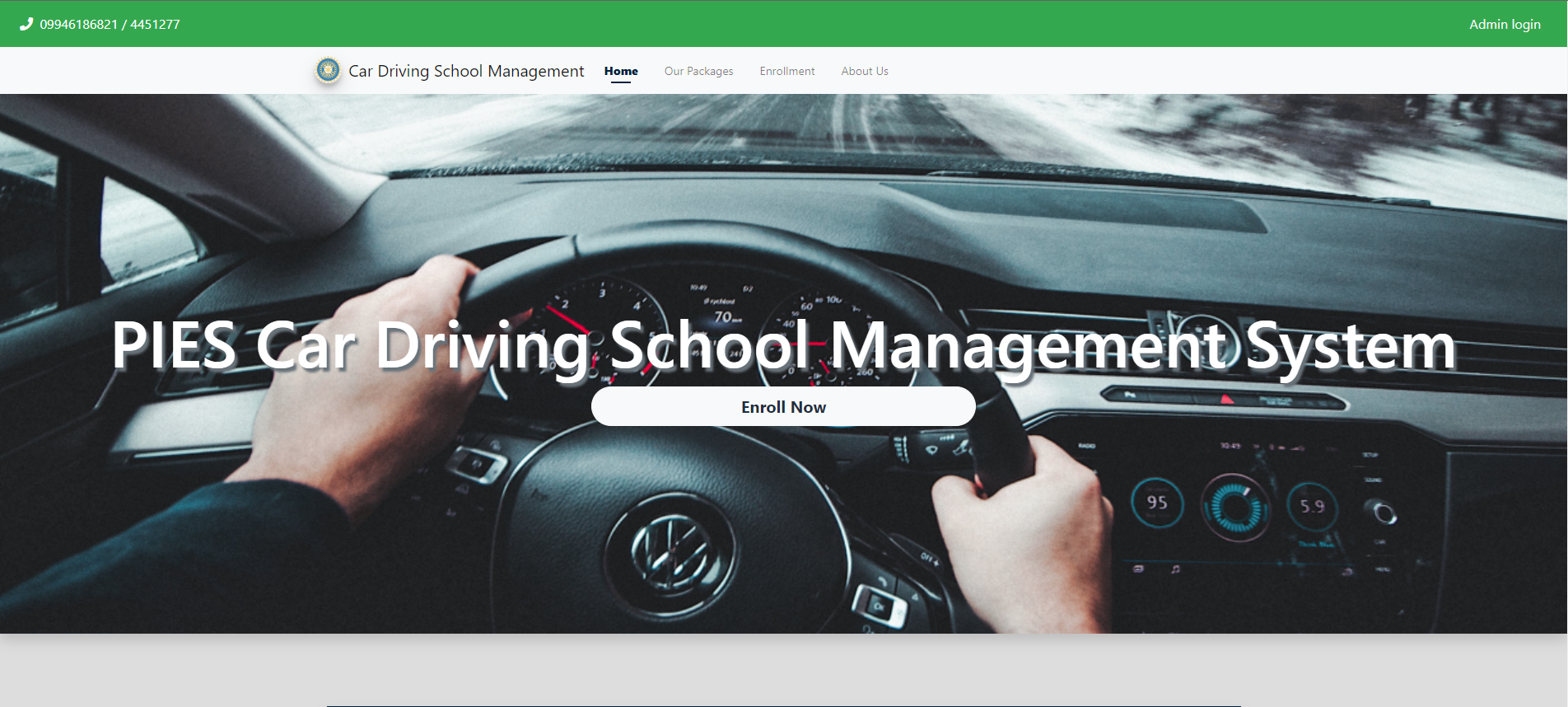
Home Page
List of Packages Page
Enrollment Registration Page
About Us Page

ADMIN PANEL
Login page

Admin Dashboard
List of Enrollees
Payments Report
List of User
System information

How to Run the Car Driving School Management System in PHP?
Time needed: 5 minutes
Here are the steps on how to run the car driving school management system using PHP
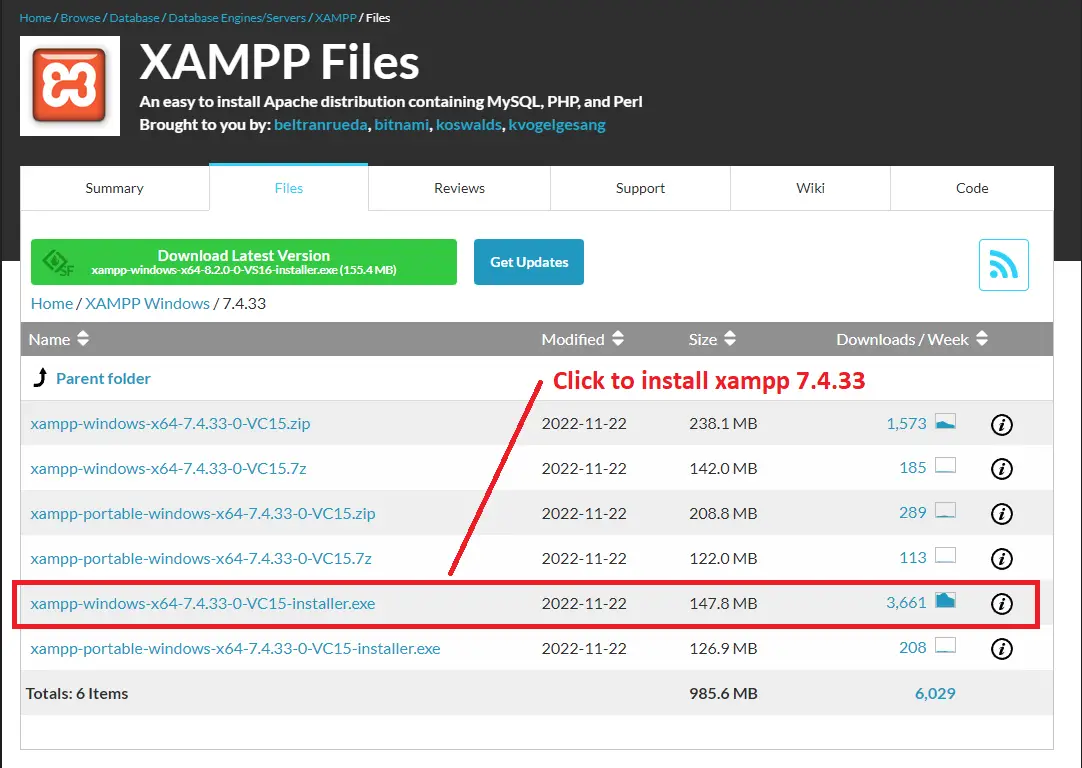
- Download and Install XAMPP
First, You need to install XAMPP 7.4.33 version

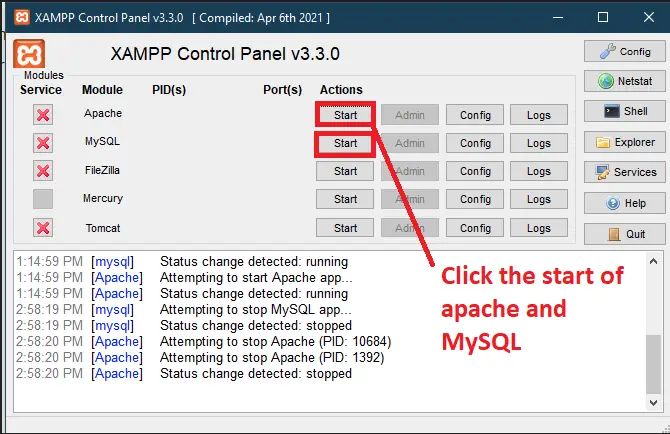
- Start Apache and MySQL.
Second, after installing XAMPP open your XAMPP control panel then click the start in apache and MySQL

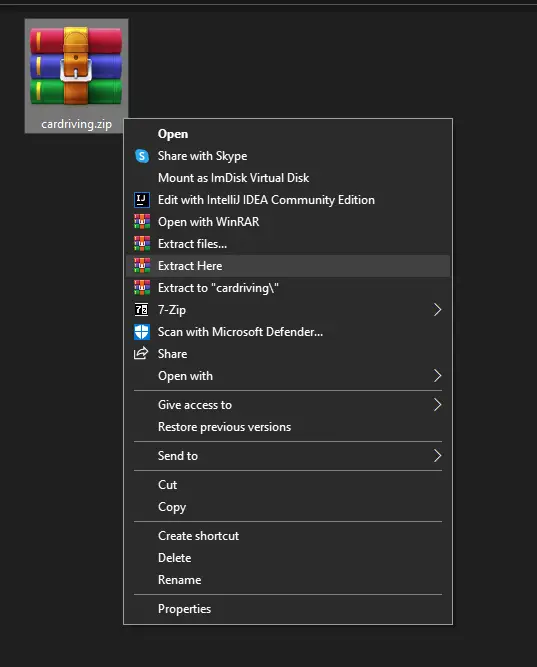
- Extract the downloaded source code zip file.
Third, Extract the downloaded source code zip file.

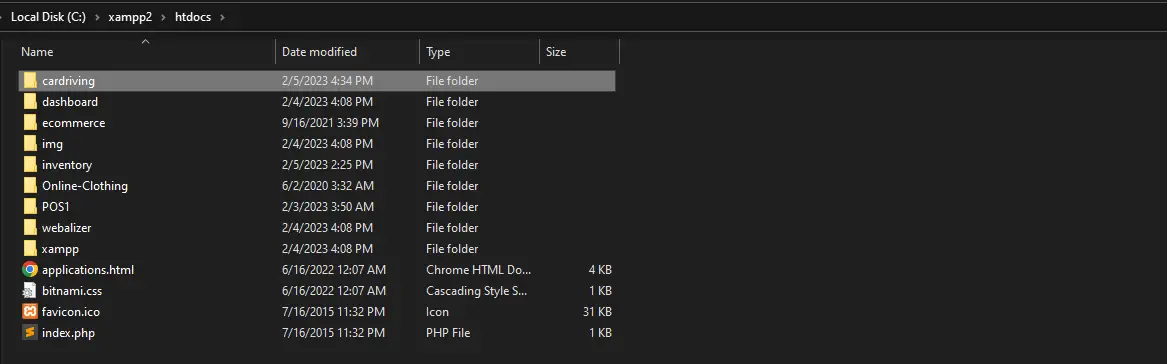
- Copy the extracted source code folder
Lastly, Go to the XAMPP folder, then copy the extracted source code folder and you will paste it into the XAMPP’s “htdocs” directory.

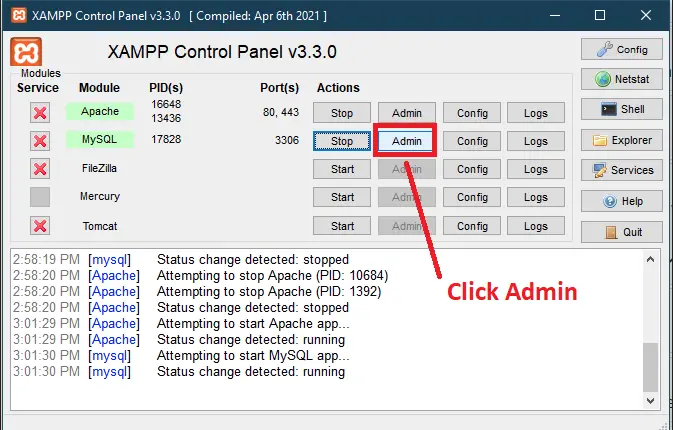
- Click the Admin in XAMPP Control Panel
Finally, click the admin in XAMPP control panel to open the localhost/phpmyadmin.

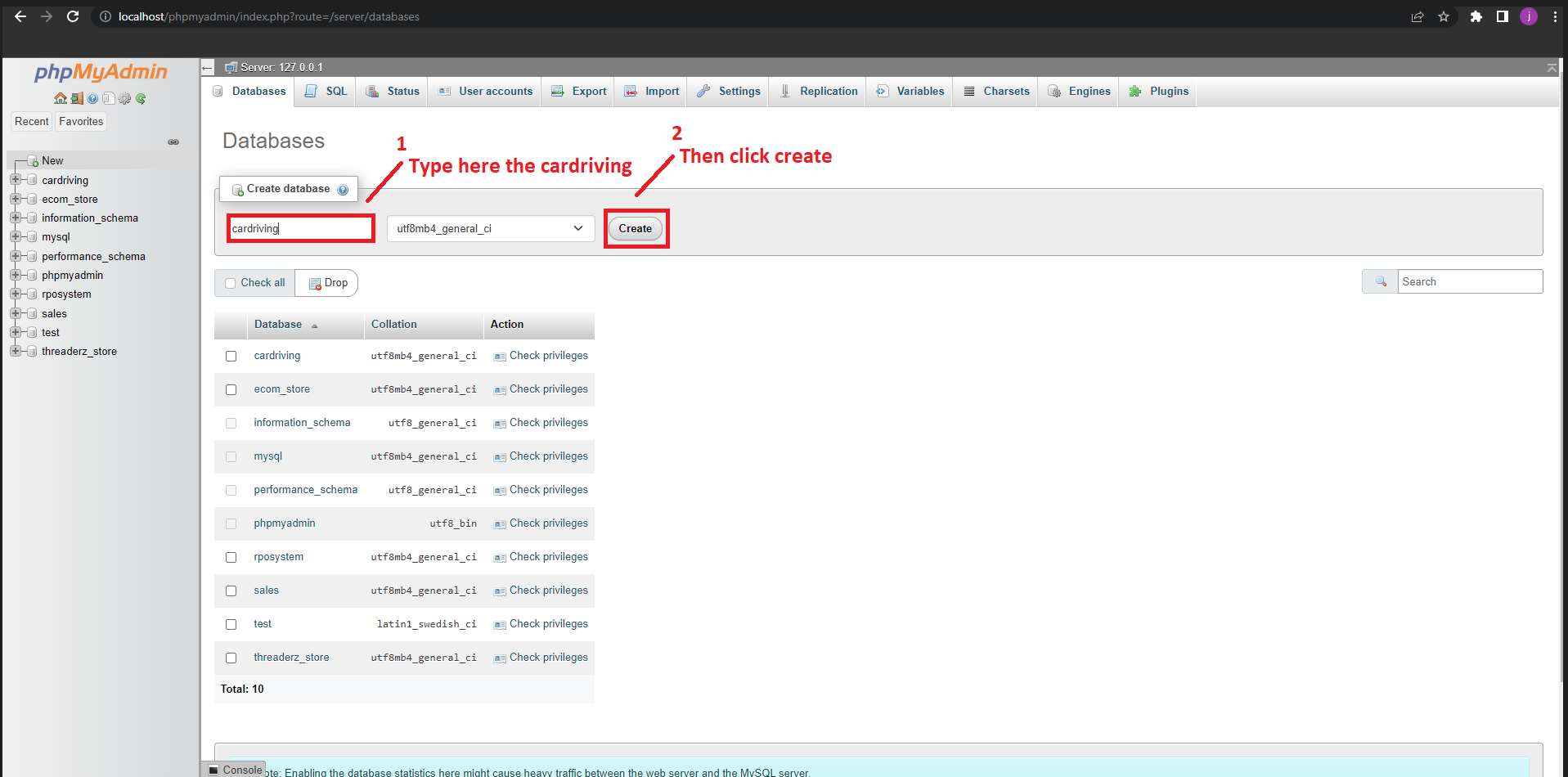
- Create Database
At this time, if you already in the localhost/phpmyadmin. We will create the database name “cardriving“.

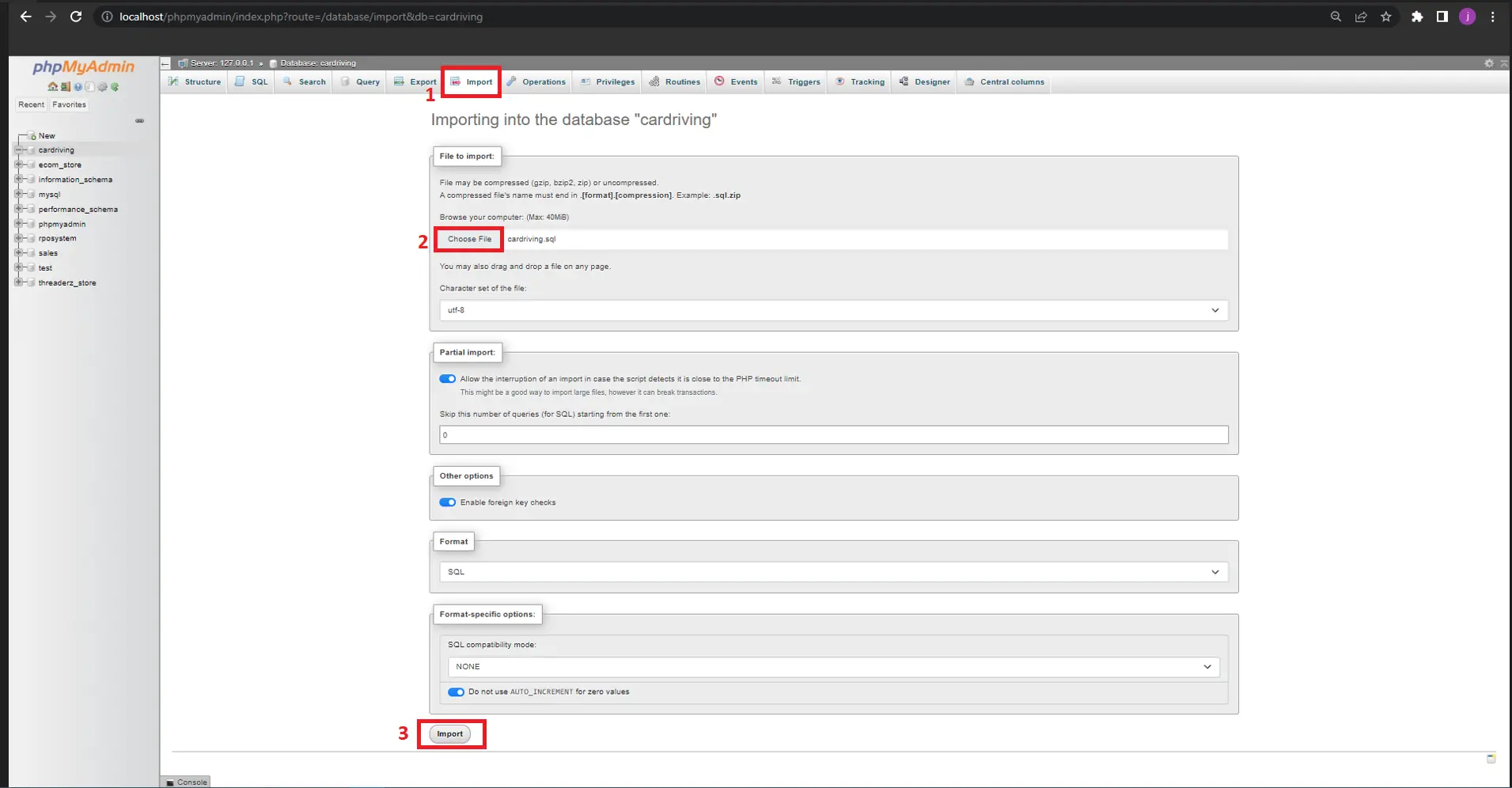
- Import the SQL Database
Subsequently, You will Import the provided SQL file into your newly created database name “cardriving“. The file is located inside the database folder and the name is “cardriving.sql“.

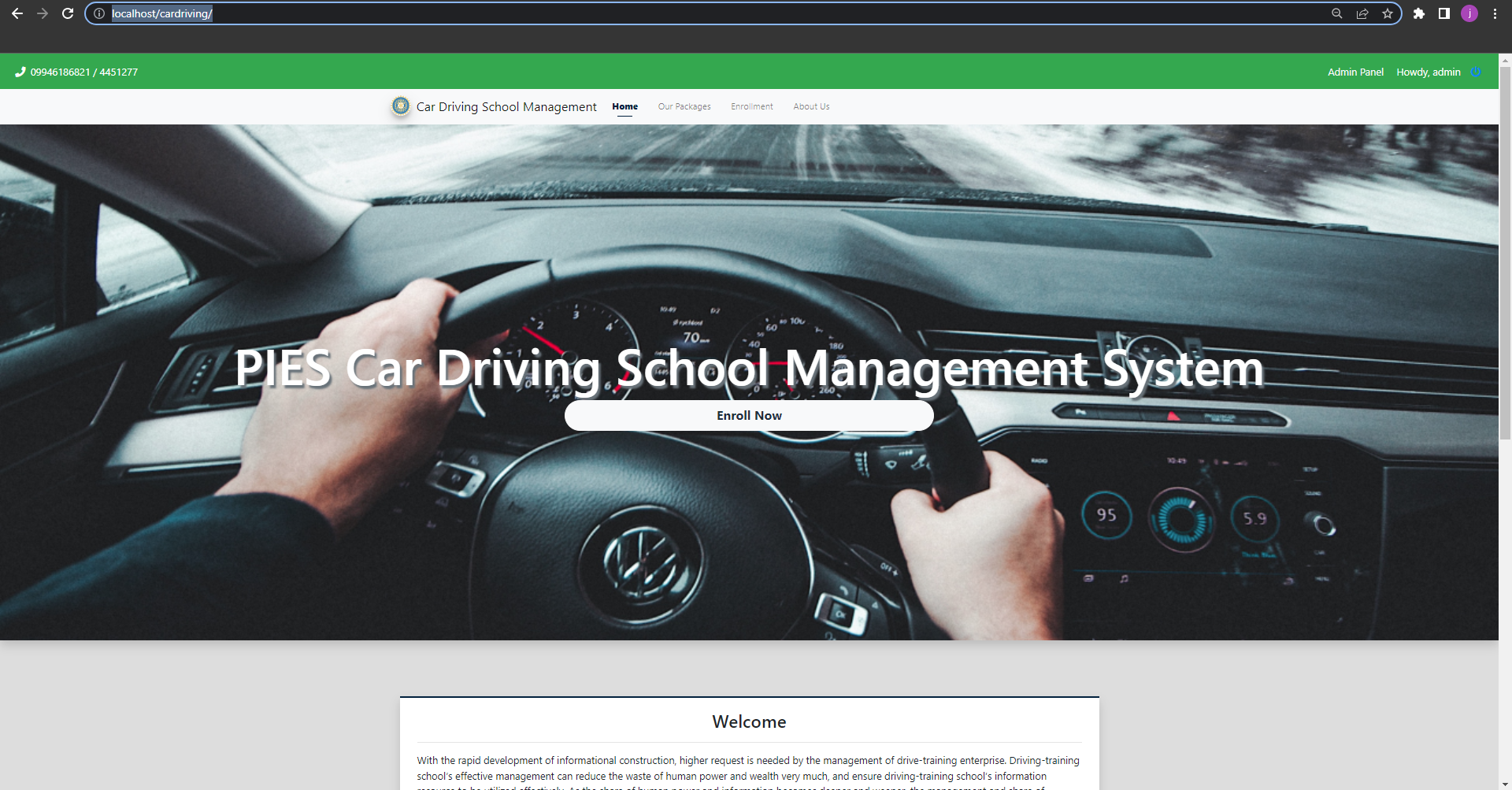
- Browse it in Browser/Chrome
Lastly, copy this URL in your browser or in a chrome “http://localhost/cardriving“.

Download the Source Code
Conclusion
To conclude, you can now explore the features and capabilities of this PHP and MySQL-based Car Driving School Management System project.
I sincerely hope that you will find what you need here and that it will be helpful for your upcoming PHP projects.
Official documentation
Our first complete capstone bundle is live: PHP + MySQL e-commerce with full Chapter 1-5 documentation, 6 UML diagrams, ERD, installation guide, user manual, and defense presentation template. More bundles (Library, POS, Hospital) coming soon. Save 3 to 4 weeks of capstone work.
Sold via Gumroad. See our affiliate disclosure.
Frequently Asked Questions
How does this PHP school management system work?
Modules: student enrollment, teacher/staff management, class scheduling, attendance, grade entry, report card generation, fee collection, library, transport. Session-based role separation: admin / teacher / student / parent.
What PHP and MySQL versions does this project require?
Most projects in this batch run on PHP 7.4 to PHP 8.2 with MySQL 5.7+ or MariaDB 10+. A few older projects need PHP 5.6 (deprecated, use XAMPP 7.x). To run: install XAMPP / WAMP / Laragon, extract project to htdocs, import the included .sql file via phpMyAdmin, edit the connection file (usually config.php or db_connect.php) with your DB credentials, browse to the project URL in your browser.
How do I set up the database for this PHP project?
Open phpMyAdmin (http://localhost/phpmyadmin/ on XAMPP), create a new empty database with the name specified in the project’s config.php. Click the Import tab, choose the included .sql file, click Go. Then edit config.php (or includes/connection.php) with: ‘localhost’, your MySQL username (usually ‘root’), your MySQL password (usually blank for XAMPP), and the database name.
Can I use this PHP project for a BSIT capstone or thesis?
Yes, but extend it. A bare CRUD app is too narrow for full capstone scope. Add: user roles via session checks, reports/dashboards (Chart.js + AJAX), PDF exports (TCPDF library), email notifications (PHPMailer), real domain extension (analytics, audit log, multi-branch support). Pair with Chapter 1-5 documentation matching your panel’s rubric.
Why am I getting ‘connection error’ or ‘undefined function mysqli_connect’?
Three common PHP issues: (1) Connection error: Apache + MySQL services not running in XAMPP control panel, OR database name in config.php does not match what you created in phpMyAdmin. (2) ‘undefined function mysqli_connect’: MySQL extension not enabled, in php.ini uncomment extension=mysqli (then restart Apache). (3) ‘No such file or directory’: MySQL socket path wrong, use 127.0.0.1 instead of localhost in the connection string.
Where can I find more PHP projects with source code?
Browse the PHP Projects hub for the full library (300+ vanilla PHP systems). For modern PHP MVC alternatives see Laravel Projects (74 systems) or CodeIgniter Projects (32 systems). For BSIT-focused capstone idea lists see 150 Best Capstone Project Ideas.
Related PHP Projects
- School Management System In CodeIgniter With Source Code
- School Management System Project In Laravel With Source Code
- Advanced School Management System In PHP With Source Code
- School Management System Project Source Code
- School Management System In PHP Open Source
- Car Parking Management System Project In PHP Source Code

Adones Evangelista
Programmer & Technical Writer at PIES IT Solution
Adones Evangelista is a programmer and writer at PIES IT Solution, author of over 900 tutorials and error-fix guides at itsourcecode.com. Specializes in JavaScript, Django, Laravel, and Python error debugging covering ValueError, TypeError, AttributeError, ModuleNotFoundError, and RuntimeError, plus C/C++ and PHP capstone projects for BSIT students.
Expertise: JavaScript · Python · Django · Laravel · Error Debugging · C/C++ · View all posts by Adones Evangelista →
The “Clik Here to Download the Source Code” button doesn’t work.
I must commend your effort. With your wealth of knowledge, you have impacted the world at large. thank you!
I tried to download car driving management system source codes, but unfortunately, the download button has not included any PHP source codes. Can you provide that codes or just email me that codes within a zip file?
Thank you so much.
can’t download source codes?
cant download the zip file