
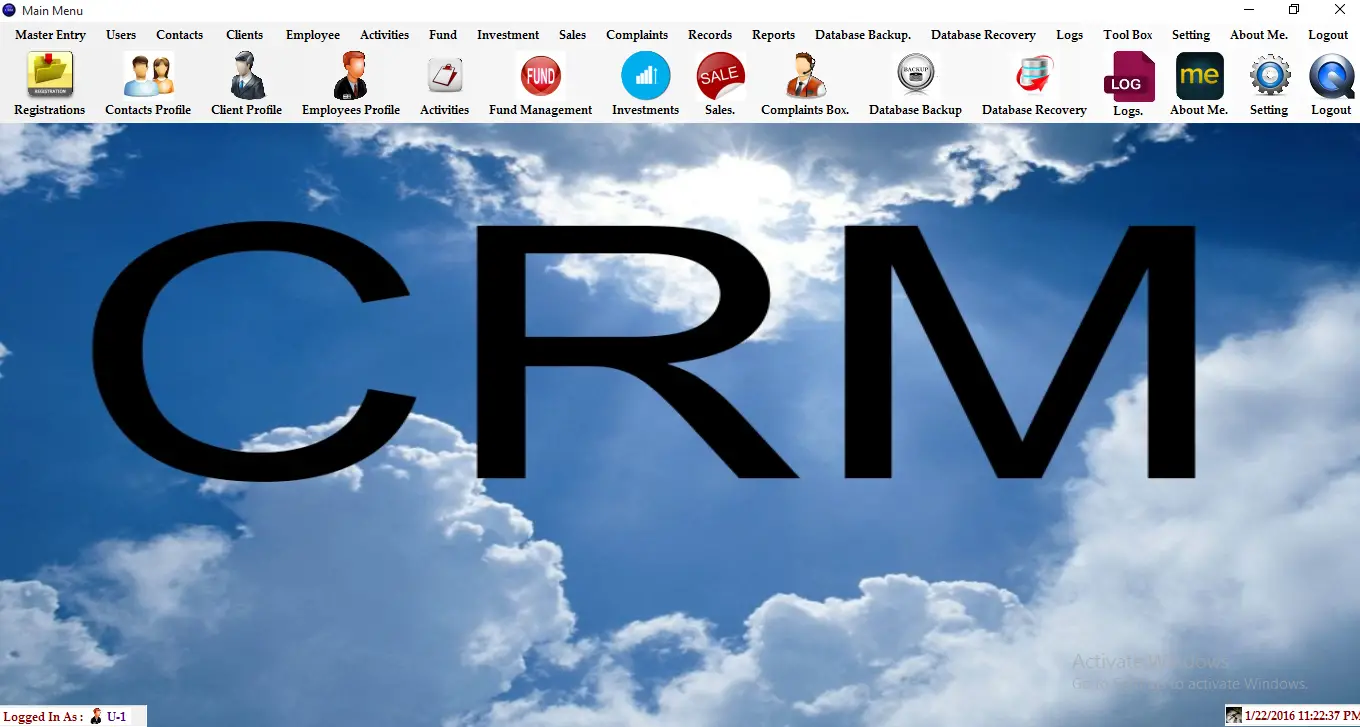
It’s an advanced Investment Management System Project written in C#.net 4.5.1 as the front end and SQL Server 2012 as the Back end.
Requirement: Visual Studio 2013 (Sql Server 2012) and SAP’s Crystal Report for Visual Studio 2013
Its have multiple views for three different-different users :
The main Features are:
- Company Entry
- Profit master
- Client Profile
- Employee Profile
- Contacts
- Complaint Box
- Investment management
- Fund Management
- Sales Management
Reports (Using Crystal Report):
- Client Report
- Employee Report
- Profit Dashboard(Pie Charts)
- Sales Report
- Investment Report
- Financial Profile
- Investment Objectives
- Client Declarations Certificate
Advance Record Searching:
- Clients Records
- Employee Records
- Sales Records
- Investment Records
- Contact Records
- Fund Records
- Complaints Records
- Email Feature
- Logs maintain facility (Admin Can View the all changes or transaction of system )
- Database Backup option(Admin can create database backup)
- Database Recovery option(Admin can Recover database)
- Change Password
- Password Recovery
- Advance Records Searching
- Advance Reports
Login Information:
For Admin:
User ID – U-1
Password – 12345
If you have questions or inquiries about this system don’t hesitate to message us.
Frequently Asked Questions
How does this C# management system work?
Standard C# WinForms architecture: forms with DataGridView for listings, TextBox / ComboBox / DateTimePicker for input, ADO.NET parametrized SQL for data access, Crystal Reports or RDLC for printable reports. SQL Server backend. Foundation BSIT capstone scope.
What .NET and SQL Server versions does this project require?
Most projects in this batch use C# WinForms on .NET Framework 4.5+ (the dominant stack for tutorial sites) with SQL Server 2012 Express or higher. A few newer projects use .NET 6/7/8. To run: install Visual Studio 2019 / 2022 (Community edition is free), install SQL Server Express + SSMS, open the .sln file, build, run.
How do I set up the database for this C# project?
Open SQL Server Management Studio (SSMS) and connect to your SQL Server instance (e.g. localhost\SQLEXPRESS). Right-click Databases > Restore Database OR > New Database then import the included .sql script. Update the connection string in App.config (or in code-behind) with your server name + credentials. Rebuild and run.
Can I use this C# project for a BSIT capstone or thesis?
Yes, but extend it. A bare CRUD form is too narrow for full capstone scope. Add: role-based access (admin/staff/customer login redirect), Crystal Reports or RDLC reports, dashboard with Chart controls, audit log, multi-branch support. Pair with Chapter 1-5 documentation matching your panel’s rubric.
Why am I getting ‘connection error’ or ‘object reference not set’?
Three common C# issues: (1) Connection error: SQL Server isn’t running OR connection string in App.config has wrong server name. Open SQL Server Configuration Manager + verify SQL Server (SQLEXPRESS) service is running. (2) NullReferenceException: a control reference or DB column returned NULL, add a check or use ?? operator. (3) Build error ‘The type or namespace could not be found’: missing assembly reference, add via Project > Add Reference.
Where can I find more C# projects with source code?
Browse the C# Projects hub for the full library. For other .NET stacks see VB.NET Projects (300+ Windows Forms systems). For ASP.NET WebForms see ASP.NET Projects. For BSIT capstone idea lists see 150 Best Capstone Project Ideas.
Related topic(s) that you may like:
If you have any questions or suggestions in Investment Management System in C# with Source Code, please feel free to leave a comment below.
Please send me source code