
You wrote your very first Python script, hit Run, and instead of a result you got this scary red text: NameError: name 'something' is not defined. Don’t worry, every single Python developer on Earth has hit this error in their first week. It’s the most common Python error for beginners, and the fix is almost always small.
This guide walks you through all 7 causes of NameError: name is not defined with copy-paste code examples, plain-English explanations, and the exact fix for each one. By the end, you’ll spot the cause in seconds.
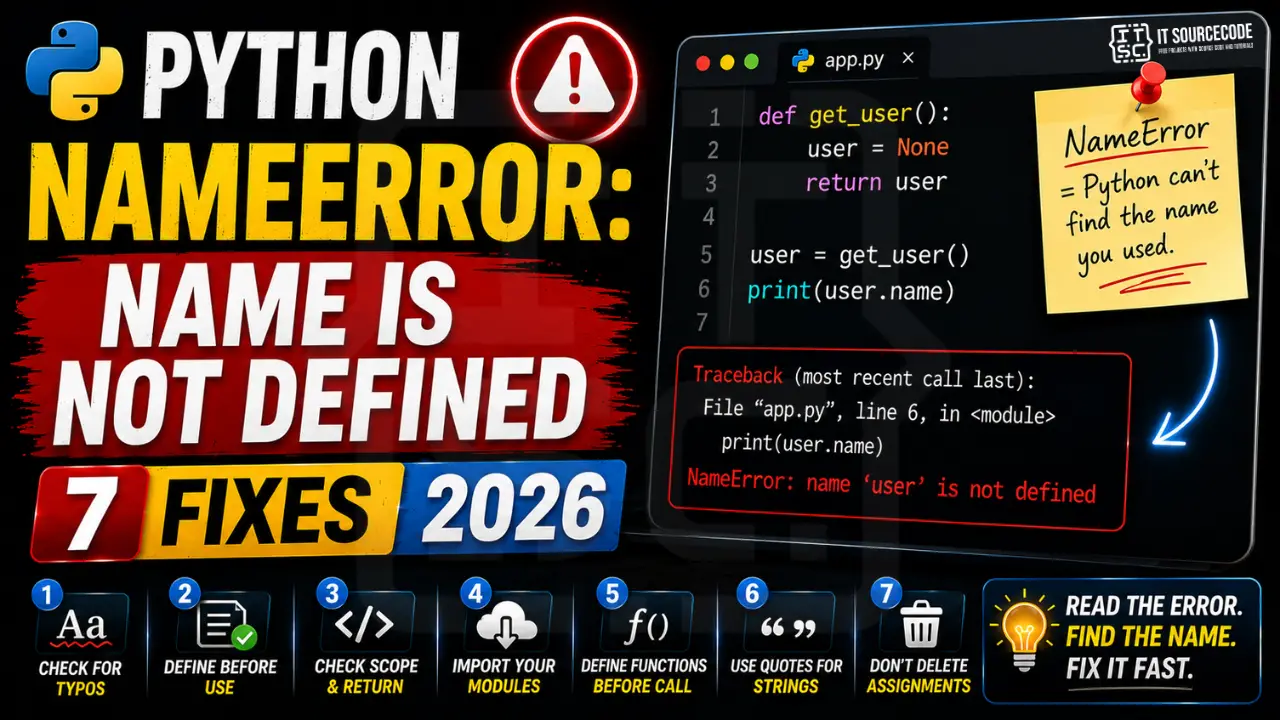
📌 Quick answer (TL;DR): NameError: name 'x' is not defined means Python tried to look up a name x, a variable, function, class, or module, and couldn’t find it anywhere in the current scope. The fix is one of three things: (1) you have a typo in the name (Python is case-sensitive: Name ≠ name), (2) you’re using the variable before assigning it, or (3) you forgot to import the module that defines it. Read the error message, the name in quotes is exactly what Python couldn’t find.
What “Name is Not Defined” Actually Means
In Python, a name is any label you give to something, a variable, a function, a class, or an imported module. When you write print(x), Python asks: “Do I know what x is?” It searches three places in order: the current function’s local variables, the enclosing scope, the module’s global variables, and finally Python’s built-in names.
If x isn’t found in any of those, you get NameError: name 'x' is not defined. The simplest possible example:
print(message) # ❌ NameError: name 'message' is not defined
We never created message, so Python has no idea what it refers to. Let’s go through the 7 specific causes you’ll actually encounter in real code.
Cause #1: Typo in the Variable Name (Case-Sensitive!)
This is the #1 cause of NameError. Python is strictly case-sensitive: username, Username, and USERNAME are three completely different names. Most NameErrors are a single capital letter or missing underscore:
username = "Maria"
print(Username)   # ❌ NameError: name 'Username' is not defined

age = 21
print(aage)       # ❌ NameError: name 'aage' is not defined  (typo)

student_name = "Juan"
print(studentname)   # ❌ NameError: missing underscore
The fix: read the error carefully. The name in quotes is exactly what Python couldn’t find. Compare it letter-by-letter against where you assigned it:
username = "Maria"
print(username)   # ✅ same case → works
Prevention tip: Use a code editor with autocomplete (VS Code, PyCharm, Thonny). When you start typing user…, it suggests username, you literally cannot misspell it.
Cause #2: Using a Variable Before Assigning It
Python reads code top-to-bottom. You can only use a variable after the line that creates it:
print(total)        # ❌ NameError: total doesn't exist yet
total = 100 + 50    # this line runs LATER
This often happens when you copy-paste code in the wrong order, or when an if branch assigns a variable but the other branch doesn’t:
score = 65

if score >= 75:
    grade = "Pass"
# else branch missing!

print(grade)   # ❌ NameError if score < 75: grade was never assigned
The fix: assign the variable BEFORE you use it, and give it a default value if a conditional branch might skip the assignment:
score = 65
grade = "Fail"   # ✅ default value first

if score >= 75:
    grade = "Pass"

print(grade)   # ✅ works for any score
Cause #3: Variable Defined Inside a Function, Used Outside
Variables created inside a function are local to that function. They don’t exist outside it. This is one of the trickiest scope rules for beginners:
def compute_total():
    total = 100 + 50    # local variable: only exists inside this function
    print(total)

compute_total()   # ✅ prints 150
print(total)      # ❌ NameError: total doesn't exist out here
The fix, return the value from the function:
def compute_total():
    total = 100 + 50
    return total       # ✅ send the value back to the caller

result = compute_total()   # capture the returned value
print(result)              # ✅ prints 150
You may have seen global used to fix this. Avoid it, it’s almost always the wrong tool and makes code hard to debug. Use return instead.
If you’re hitting a related scope-style error on objects rather than variables, our AttributeError: NoneType object has no attribute guide covers the next-most-common beginner trap.
Cause #4: Missing Import Statement
Python doesn’t load every library automatically. If you use a name from a module, like sqrt, datetime, or pd, you must import it first:
print(sqrt(16))    # ❌ NameError: name 'sqrt' is not defined

today = datetime.today()   # ❌ NameError: name 'datetime' is not defined

df = pd.DataFrame({"x": [1, 2]})   # ❌ NameError: name 'pd' is not defined
The fix, add the right import at the top of your file:
from math import sqrt
from datetime import datetime
import pandas as pd

print(sqrt(16))                       # ✅ 4.0
today = datetime.today()              # ✅ works
df = pd.DataFrame({"x": [1, 2]})      # ✅ works
Tip: when you see a NameError for a name like np, plt, requests, os, or random, it’s almost always a missing import. Standard ones to remember:
import os, file system, environment variablesimport sys, command-line arguments, exit codesimport random, random numbersimport json, JSON parsingfrom datetime import datetime, dates and timesimport numpy as np,import pandas as pd,import matplotlib.pyplot as plt, data science staples
Cause #5: Calling a Function Defined Later in the File
Same top-to-bottom rule applies to functions. You can’t call a function on line 5 if it’s defined on line 20:
greet("Maria")   # ❌ NameError: name 'greet' is not defined

def greet(name):
    print(f"Hello, {name}!")
The fix, define functions BEFORE you call them. The clean pattern is to put all your def blocks at the top, then put the actual execution at the bottom (often inside an if __name__ == "__main__": guard):
def greet(name):
    print(f"Hello, {name}!")

# Now call it: function exists by this line
greet("Maria")   # ✅ Hello, Maria!

if __name__ == "__main__":
    greet("Juan")
Functions calling each other is fine in any order, Python only checks the name when the function actually runs. But the very first call in your script must come AFTER its def.
Cause #6: Using print Without Quotes (or Python 2 Habits)
Python 2 used to allow print "hello" (no parentheses). Python 3 doesn’t. And in any version, forgetting quotes around a string makes Python think you’re referring to a variable name:
print(hello)         # ❌ NameError: Python looks for a variable called hello

name = Maria         # ❌ NameError: Python looks for a variable called Maria

if status == active: # ❌ NameError: active isn't defined
    print("ok")
The fix, wrap text values in quotes so Python knows they’re strings, not variable names:
print("hello")            # ✅ string literal
name = "Maria"            # ✅ string assignment
if status == "active":    # ✅ comparing to the string "active"
    print("ok")
This also happens to students migrating from Java/C++: in Python, 'A' (single quotes) and "A" (double quotes) are both strings, there is no separate character type. Forgetting quotes is one of the top NameError causes for second-language Python learners.
Related: if your quotes are right but the conversion fails, see ValueError: invalid literal for int().
Cause #7: Accidentally Deleted or Commented Out the Assignment
Sometimes the variable used to exist, but you (or a teammate) commented it out while debugging and forgot to put it back:
# total = compute_sum(data)   # commented while testing
discount = 0.10

final = total * (1 - discount)   # ❌ NameError: name 'total' is not defined
Or you may have deleted a line, refactored a function, or moved code between files and forgot to bring the assignment along.
The fix, uncomment or reassign the variable. Most editors highlight unused/undefined names in the gutter:
total = compute_sum(data)   # ✅ assignment restored
discount = 0.10

final = total * (1 - discount)   # ✅ works
This is exactly the kind of mistake a linter like flake8, ruff, or pylint catches before you run the script. Install one, your future self will thank you.
Quick Prevention Checklist
To stop hitting NameError: name is not defined in future code, build these habits:
- Use an IDE with autocomplete: VS Code, PyCharm, or Thonny will suggest existing variable names, typos become impossible. See our best Python IDE comparison for picks.
- Read the error message carefully: Python tells you the exact name it couldn’t find, in quotes. That’s a huge hint, search your file for that exact spelling.
- Define before you use: assignments, functions, classes, imports, all must come before the line that references them.
- Always initialize variables outside
ifblocks with a sensible default, so no branch leaves them unassigned. - Put all
importstatements at the top of your file, never inside a function unless you have a very specific reason. - Quote your strings:
name = "Maria"notname = Maria. - Install a linter:
pip install ruffthen runruff check yourfile.py, it catches undefined names before you run anything. - Use the Python REPL to experiment: if you’re unsure whether a name exists, type it in the interactive shell and see what happens.
A Quick Word on Reading Python Errors
Beginners often panic at red text. Don’t. Python error messages are some of the friendliest in any language. Every NameError has three pieces of information:
- The error type:
NameError, tells you the category (a name lookup failed). - The exact name:
name 'username' is not defined, tells you exactly which name Python couldn’t find. - The line number: from the traceback, tells you exactly where to look.
Combine those three and you can debug 95% of NameErrors in under 30 seconds. The remaining 5% are scope issues (Cause #3), those need a little more thought, but the same three pieces still narrow it down fast.
Official documentation
Frequently Asked Questions
What does “NameError: name is not defined” mean in Python?
Name ≠ name), using a variable before you assigned it, or forgetting to import the module that defines it. The error message tells you the exact name in quotes, that’s exactly what Python couldn’t find.Why is “name” not defined when I clearly typed it?
username, Username, and USERNAME are three completely different names. Even one capital letter difference triggers NameError. Other common reasons: you typed a slightly different spelling (studentname vs student_name), you defined it inside a function but used it outside, or the line that creates it runs LATER than the line that uses it. Read the error message, it shows the exact name Python is looking for.How do I fix NameError for a variable defined inside a function?
return it from the function and capture the returned value: result = my_function(). Avoid the global keyword, it makes code hard to debug. Returning values is the clean, Pythonic way to share data between functions and the outer code.Why does Python say my imported module is not defined?
import statement, or imported the wrong name. import numpy gives you numpy, but most code uses the alias np, which requires import numpy as np. Similarly, from math import sqrt gives you sqrt directly, but plain import math requires math.sqrt(16). Match the import style to how you use the name.Why do I get NameError when calling my own function?
greet() on line 5 if def greet(): is on line 20. The function name doesn’t exist until Python has read the def line. Fix: put all def blocks at the top of your file, then put the actual code that calls them at the bottom. A common clean pattern is wrapping the calls in if __name__ == "__main__": at the very end.Is NameError the same as a typo?
import, or forgetting quotes around a string (name = Maria instead of name = "Maria"). All of them produce the same NameError because all of them result in Python looking for a name that isn’t there.How do I prevent NameError in the future?
ruff or flake8, they flag undefined names before you run the script; (3) always define variables before using them, including default values for any variable that might be set inside an if block.What’s the difference between NameError and UnboundLocalError?
global keyword (rarely the right answer).How is NameError different from TypeError or AttributeError?
📌 Beyond debugging, level up your Python
Once you’re past your first NameErrors, the best way to learn is to build something real. Browse our best Python projects with source code, set up a proper editor with our best Python IDE 2026 comparison (autocomplete prevents 90% of typo-NameErrors), make sure Python is set up correctly with our Python installation guide, or work through our free Python tutorial series from the basics.
Final Recommendation
If you remember one thing from this guide, make it this: the name in quotes in the error message is exactly what Python couldn’t find. That single piece of information solves 95% of NameErrors in seconds, search your file for that exact spelling, check capitalization, check that the assignment line comes before the usage line, and check for a missing import.
And install an IDE with autocomplete. Seriously. VS Code is free, takes 5 minutes to set up, and will prevent more NameErrors in your first week of Python than any other single tool. Pair it with a linter like ruff and you’ll catch undefined names before you ever hit Run.
🎯 Your next steps:
- Re-read the exact name in your error message, check capitalization letter-by-letter against where you assigned it
- Confirm the assignment line comes BEFORE the line that uses the name
- Check for missing
importstatements at the top of your file - Install a Python IDE with autocomplete if you haven’t yet
- Browse more NameError fixes or our full Python tutorial series
Still stuck on a specific NameError? Drop the exact error message and code snippet in the comments, we’ll help you debug it. Remember: every Python developer started exactly where you are now.

Caren Bautista
Technical Writer at PIES IT Solution
Responsible for crafting clear, well-structured, and beginner-friendly content across the platform. Handles the writing, proofreading, and editorial review of tutorials, guides, and documentation to ensure every article is accurate, readable, and easy to follow.
Expertise: Technical Writing · Content Creation · Documentation · Editorial Writing · JavaScript · TypeScript · Python · Python Errors · HTTP Errors · MS Excel
· View all posts by Caren Bautista →