
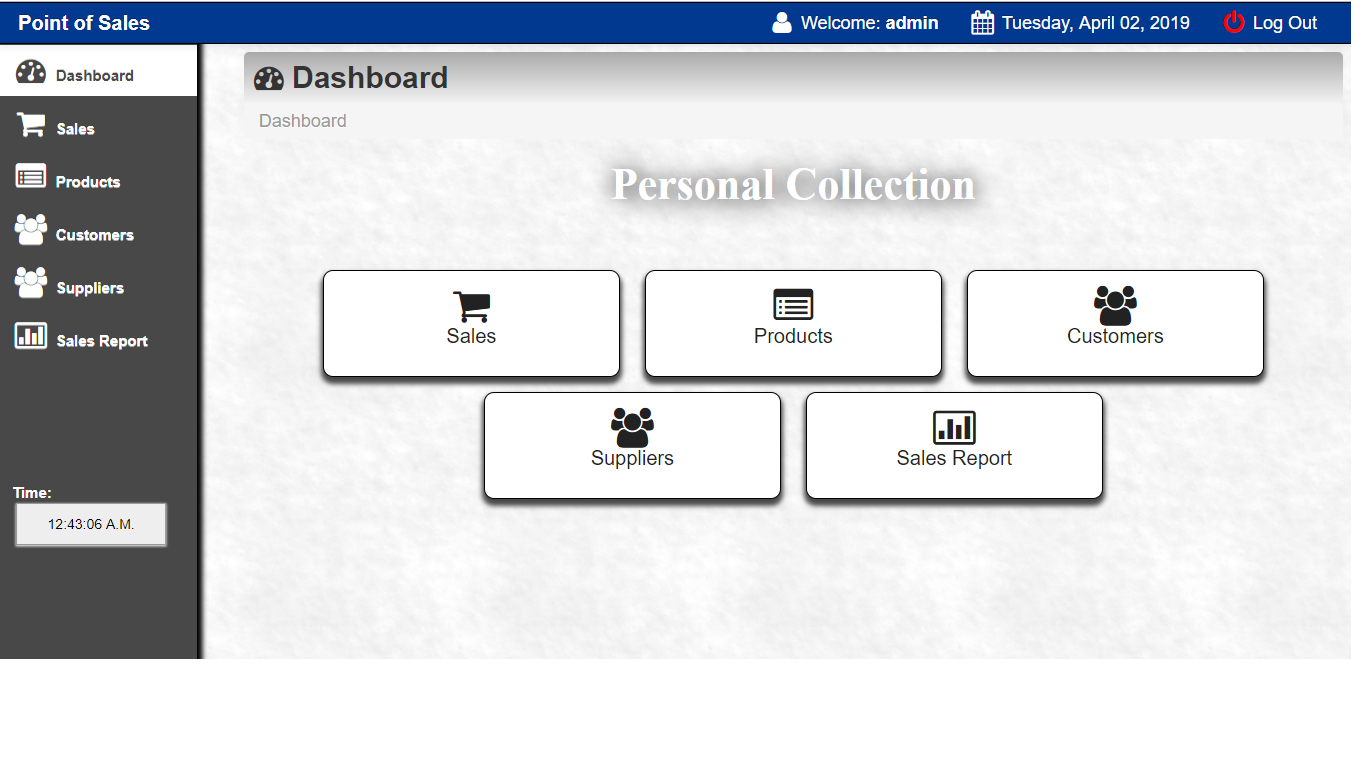
In this article, we will discuss the point of sale system in PHP with MySQL database.
What is a Point of Sales Software?
The point-of-sale software is known to have the capability of collecting more information. In doing business, the more information you have about your customers, the better equipped you will be.
This Point of Sale System (POS) using PHP with Source Code is designed to help in the management of your business’ inventory.
Using the Point of Sale Software, it will help you to determine the critical level of stocks. With POS System, you will be able to track products.
Products information like sales. The system assists to generate reports for price adjustment. It helps make the record-keeping and accounting simpler.

What Point of Sales Software can do?
POS System will do:
- manage customer,
- product management,
- details,
- and payments.
A POS system PHP project is for the convenience of both customers and employees. With this Free Point of Sales Software for small business, a small business can efficiently manage the in and out of the product. It provides a retail transaction wherein a customer makes a payment to the cashier in exchange for goods with a printed receipt.
Features of Point of Sale source code:
- Customer Management
- Product Management
- Customer Registration
- Suppliers Management
- Secure login
- Sales Management
- Sales Inventory
- Payments (Cash Basis)
- Product Inventory
Download the full source code of POS system Free source code Below.
You can also check here more another version of POS Software.
Conclusion
I use PHP and MySQLi Database to create this POS system Free source code. Take note: this is only a student project, and you cannot expect a perfect system from this source code.
Technology stack and requirements
To run this PHP project, you need these tools on your development machine:
- XAMPP or WAMP server. Bundles Apache, MySQL, and PHP so you can run PHP on Windows without individual installs. Free from apachefriends.org.
- PHP 8.0 or higher. Included with XAMPP. Older versions (5.x, 7.x) may work but modern PHP features improve security and performance.
- MySQL or MariaDB. Comes with XAMPP. phpMyAdmin manages the database through a browser UI.
- VS Code or PhpStorm. Free code editor with PHP syntax highlighting, IntelliSense, and debugging support.
- Web browser. Chrome, Firefox, or Edge for testing the running app.
Installing the source code
- Download the archive. Get the ZIP file from the download link on this page and extract it.
- Move to htdocs. Place the extracted folder inside C:\xampp\htdocs\ so Apache can serve it.
- Import the database. Open http://localhost/phpmyadmin, click Import, and select the .sql file included in the archive.
- Update database credentials. Open the config.php or connection.php file and set the correct database name, username, and password (default XAMPP: root / empty password).
- Run the project. Start Apache + MySQL in XAMPP, then visit http://localhost/your-project-folder/ in a browser.
Using this project for your BSIT capstone
This PHP project maps cleanly to standard BSIT capstone documentation. Suggested chapter alignment:
- Chapter 1 (Introduction). Discuss the problem the system solves in real-world context. Cite Philippine business or academic use cases where a manual process could be replaced.
- Chapter 2 (Review of Related Literature). Compare this system’s features against 5-10 similar published projects. Cite journals like IJERT or IEEE Access for academic-standard sources.
- Chapter 3 (Methodology). Include Use Case Diagram, Data Flow Diagram, Entity Relationship Diagram, and Activity Diagram covering all major workflows.
- Chapter 4 (Results and Discussion). Screenshot each module of the running system with a caption explaining what data it processes and which user role interacts with it.
- Chapter 5 (Conclusion and Recommendations). Identify features that could be added in a Version 2, such as mobile app, REST API export, or AI-powered analytics.
Modules typical of POS
- Product master data. CRUD forms for adding, editing, and archiving products with SKU, price, category.
- Stock receiving. Record incoming batches from suppliers with quantity, cost, and expiry.
- Point of Sale. Cashier interface with barcode input, quantity, subtotal, discount, and change.
- Stock adjustment. Manual correction entries for damage, expiry, or shrinkage with reason codes.
- Reports. Sales-by-day, stock-on-hand, top-selling products, low-stock alerts.
- User management. Role-based login (Admin, Cashier, Manager) with password hashing and audit trail.
Common enhancements for capstone review
- Barcode integration. Add USB barcode-scanner input on POS form for faster checkout.
- Multi-branch support. Add a Branch table so a single database serves multiple store locations.
- Auto reorder alerts. Send email notification when stock falls below a defined threshold.
- Data export to Excel. Use PhpSpreadsheet library to export reports for offline analysis.
Official documentation
Featured guides worth reading next
Our first complete capstone bundle is live: PHP + MySQL e-commerce with full Chapter 1-5 documentation, 6 UML diagrams, ERD, installation guide, user manual, and defense presentation template. More bundles (Library, POS, Hospital) coming soon. Save 3 to 4 weeks of capstone work.
Sold via Gumroad. See our affiliate disclosure.
Frequently Asked Questions
How does this PHP Point of Sale system work?
Cashier UI for adding items to cart, scanning barcodes, applying discounts, accepting cash/card, printing receipts (window.print or TCPDF). Real-time inventory deduction. Daily Z-report.
What PHP and MySQL versions does this project require?
Most projects in this batch run on PHP 7.4 to PHP 8.2 with MySQL 5.7+ or MariaDB 10+. A few older projects need PHP 5.6 (deprecated, use XAMPP 7.x). To run: install XAMPP / WAMP / Laragon, extract project to htdocs, import the included .sql file via phpMyAdmin, edit the connection file (usually config.php or db_connect.php) with your DB credentials, browse to the project URL in your browser.
How do I set up the database for this PHP project?
Open phpMyAdmin (http://localhost/phpmyadmin/ on XAMPP), create a new empty database with the name specified in the project’s config.php. Click the Import tab, choose the included .sql file, click Go. Then edit config.php (or includes/connection.php) with: ‘localhost’, your MySQL username (usually ‘root’), your MySQL password (usually blank for XAMPP), and the database name.
Can I use this PHP project for a BSIT capstone or thesis?
Yes, but extend it. A bare CRUD app is too narrow for full capstone scope. Add: user roles via session checks, reports/dashboards (Chart.js + AJAX), PDF exports (TCPDF library), email notifications (PHPMailer), real domain extension (analytics, audit log, multi-branch support). Pair with Chapter 1-5 documentation matching your panel’s rubric.
Why am I getting ‘connection error’ or ‘undefined function mysqli_connect’?
Three common PHP issues: (1) Connection error: Apache + MySQL services not running in XAMPP control panel, OR database name in config.php does not match what you created in phpMyAdmin. (2) ‘undefined function mysqli_connect’: MySQL extension not enabled, in php.ini uncomment extension=mysqli (then restart Apache). (3) ‘No such file or directory’: MySQL socket path wrong, use 127.0.0.1 instead of localhost in the connection string.
Where can I find more PHP projects with source code?
Browse the PHP Projects hub for the full library (300+ vanilla PHP systems). For modern PHP MVC alternatives see Laravel Projects (74 systems) or CodeIgniter Projects (32 systems). For BSIT-focused capstone idea lists see 150 Best Capstone Project Ideas.
where is the download link of POS
You can click it here. https://itsourcecode.com/wp-content/uploads/2019/04/inventory.zip
how can i install it on my hosting?
could you send me the database
the login credentials aren’t working i found the sales db
the login credentials are not working
Notice: Undefined index: profit in C:\xampp\htdocs\inventory\main\saveproduct.php on line 11
Fatal error: Uncaught exception ‘PDOException’ with message ‘SQLSTATE[23000]: Integrity constraint violation: 1048 Column ‘profit’ cannot be null’ in C:\xampp\htdocs\inventory\main\saveproduct.php:18 Stack trace: #0 C:\xampp\htdocs\inventory\main\saveproduct.php(18): PDOStatement->execute(Array) #1 {main} thrown in C:\xampp\htdocs\inventory\main\saveproduct.php on line 18
Cannot add and save the produects
it is made of mysql and not mysqli
very nice blog, thanks!!!!!!!!!!!
Please what is the login details
The username and password is in the sql database. You need to import first the sql database in phpmyadmin
Really good information about Simple PHP Projects.
Fatal error: Uncaught Error: Call to undefined function mysql_connect() in C:\xampp\htdocs\inventory\login.php:12 Stack trace: #0 {main} thrown in C:\xampp\htdocs\inventory\login.php on line 12