
What’s New in HTML5 (vs HTML4)
If you’ve used HTML4 or XHTML before, HTML5 adds five game-changing features that make modern web development possible:
- Semantic tags
<header>,<nav>,<article>,<section>,<footer>replace generic<div>s, helping browsers and search engines understand page structure. - Native multimedia
<video>and<audio>tags eliminate the need for Flash plugins. - New form input types
email,date,range,color,numberwith built-in validation. - Canvas and SVGdraw graphics, charts, and animations directly in the browser without external libraries.
- Local storage APIsstore data in the browser without cookies.
Deprecated in HTML5: <font>, <center>, <u>, <strike>, and the align attribute on most tags. Use CSS for styling instead.
HTML5 Boilerplate Code
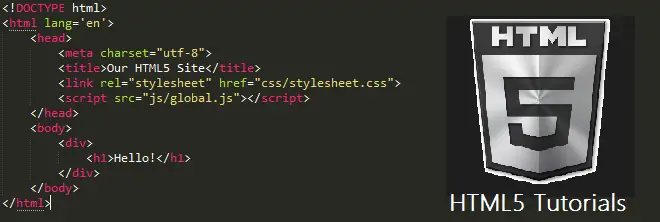
Every HTML5 page starts with this minimal structure. Save as index.html, open in any browser:
<!DOCTYPE html>
<html lang="en">
<head>
<meta charset="UTF-8">
<meta name="viewport" content="width=device-width, initial-scale=1.0">
<title>My First HTML5 Page</title>
</head>
<body>
<header>
<h1>Welcome to HTML5</h1>
<nav>
<a href="#home">Home</a> |
<a href="#about">About</a>
</nav>
</header>
<main>
<article>
<h2>My First Article</h2>
<p>This is a paragraph inside an HTML5 article tag.</p>
</article>
</main>
<footer>
<p>© 2026 My Website</p>
</footer>
</body>
</html>Three things worth noting: <!DOCTYPE html> tells browsers to render in standards mode, <meta charset="UTF-8"> handles international characters, and <meta name="viewport"> enables responsive design on mobile devices. Without that third line, your site will render at desktop width on phones.
10 Semantic Tags Every Beginner Should Know
- <header>page or section header (logo, nav, title).
- <nav>navigation links (menu).
- <main>the dominant content of the page; only one per page.
- <article>self-contained content (blog post, news story).
- <section>thematic grouping of content with a heading.
- <aside>content tangentially related (sidebar, callout box).
- <footer>page or section footer.
- <figure>And <figcaption>images, diagrams, code blocks with captions.
- <time>machine-readable dates and times.
- <mark>highlighted text for emphasis (different from <em> or <strong>).
HTML5 Form Improvements
HTML5 added input types that validate themselves in the browser, no JavaScript required:
<form>
    <label>Email: <input type="email" required></label>
    <label>Birthdate: <input type="date"></label>
    <label>Age: <input type="number" min="13" max="120"></label>
    <label>Volume: <input type="range" min="0" max="100"></label>
    <label>Favorite color: <input type="color"></label>
    <label>Phone: <input type="tel" pattern="[0-9]{11}"></label>
    <button type="submit">Submit</button>
</form>
The required and pattern attributes block invalid form submission automatically. The type="email" input shows a keyboard with @ symbol on mobile devices.
Common HTML5 Beginner Mistakes
- Forgetting
<meta charset="UTF-8">special characters (é, ñ, -) render as gibberish. - Wrapping everything in
<div>use semantic tags.<div>is only for grouping when no semantic tag fits. - Missing
alton imagesscreen readers can’t describe the image, and you lose SEO ranking. - Using
<br>for spacinguse CSSmarginorpaddinginstead. - Nesting
<a>tagsHTML5 forbids it. One link cannot contain another link. - Closing self-closing tags wrongwrite
<img src="x.jpg" alt="x">not<img src="x.jpg" alt="x" />(the slash is XHTML-style).
Frequently Asked Questions
What is HTML5 and why should beginners learn it?
HTML5 is the latest version of the HyperText Markup Language used to structure web pages. Beginners should learn it because it is the foundation of every website, even React, Vue, and Angular applications ultimately render HTML5 in the browser. Understanding semantic tags, forms, and the document structure makes you a stronger developer in any framework you choose later.
What is the difference between HTML4 and HTML5?
HTML5 added semantic tags (header, nav, article, section, footer), native multimedia (video, audio without plugins), new form input types with built-in validation, the canvas element for drawing, and local storage APIs. HTML5 also dropped deprecated tags like font, center, and the align attribute. Most browsers stopped supporting Flash in 2020, HTML5’s native video tag replaced it entirely.
Do I need to know CSS before learning HTML5?
No, you can write valid HTML5 without any CSS, and the page will display in the browser’s default styles. However, to make pages look professional you’ll need basic CSS within a few hours of starting. Learn HTML5 structure first, then add CSS for styling, then JavaScript for interactivity.
What are the most important semantic tags in HTML5?
The five core semantic tags every page should use are: header (page or section header), nav (navigation menu), main (the dominant content, one per page), article (self-contained content like a blog post), and footer (page or section footer). These five replace the old div-everywhere pattern of HTML4 and help both screen readers and search engines understand your page structure.
How long does it take to learn HTML5 as a beginner?
You can write your first HTML5 page within an hour. To learn all the essential tags, form types, and best practices takes about 1-2 weeks of consistent practice (1-2 hours per day). To master semantic markup, accessibility, and SEO best practices takes 1-3 months of building real projects. For a BSIT capstone, 2 weeks of focused HTML5 study is enough to build the front-end of any database-driven web application.
Related PHP Projects
- Html5 Shiv Beginners Guide
- Html5 Boilerplate Beginners Guide
- Html5 Figure Figcaption Beginners Guide
- Html5 Page Structure Beginners Guide
- Html5 Video Attributes Beginners Guide
- Html5 Video Tag Beginners Guide
Technology stack and requirements
To run this PHP project, you need these tools on your development machine:
- XAMPP or WAMP server. Bundles Apache, MySQL, and PHP so you can run PHP on Windows without individual installs. Free from apachefriends.org.
- PHP 8.0 or higher. Included with XAMPP. Older versions (5.x, 7.x) may work but modern PHP features improve security and performance.
- MySQL or MariaDB. Comes with XAMPP. phpMyAdmin manages the database through a browser UI.
- VS Code or PhpStorm. Free code editor with PHP syntax highlighting, IntelliSense, and debugging support.
- Web browser. Chrome, Firefox, or Edge for testing the running app.
Installing the source code
- Download the archive. Get the ZIP file from the download link on this page and extract it.
- Move to htdocs. Place the extracted folder inside C:\xampp\htdocs\ so Apache can serve it.
- Import the database. Open http://localhost/phpmyadmin, click Import, and select the .sql file included in the archive.
- Update database credentials. Open the config.php or connection.php file and set the correct database name, username, and password (default XAMPP: root / empty password).
- Run the project. Start Apache + MySQL in XAMPP, then visit http://localhost/your-project-folder/ in a browser.
Using this project for your BSIT capstone
This PHP project maps cleanly to standard BSIT capstone documentation. Suggested chapter alignment:
- Chapter 1 (Introduction). Discuss the problem the system solves in real-world context. Cite Philippine business or academic use cases where a manual process could be replaced.
- Chapter 2 (Review of Related Literature). Compare this system’s features against 5-10 similar published projects. Cite journals like IJERT or IEEE Access for academic-standard sources.
- Chapter 3 (Methodology). Include Use Case Diagram, Data Flow Diagram, Entity Relationship Diagram, and Activity Diagram covering all major workflows.
- Chapter 4 (Results and Discussion). Screenshot each module of the running system with a caption explaining what data it processes and which user role interacts with it.
- Chapter 5 (Conclusion and Recommendations). Identify features that could be added in a Version 2, such as mobile app, REST API export, or AI-powered analytics.
Modules typical of HTML5 Introduction – Beginners Guide for Web Developers – 001
- Master data. CRUD forms for the primary entities with search and filter.
- Transaction processing. Data entry forms for day-to-day operations the system automates.
- Reports. Formatted printable output summarizing activity per day, user, or category.
- User management. Login with role-based permissions (Admin, Encoder, Viewer).
- Backup and restore. Export database to a .sql file and restore when needed.
Common enhancements for capstone review
- Modernize the UI. Add Bootstrap 5 or Tailwind CSS for a polished appearance.
- Add printable receipts. Use TCPDF or FPDF to generate PDF reports.
- Multi-user concurrency. Ensure database handles simultaneous writes without lost-update errors.
- Rewrite in Laravel. Migrate to Laravel for maintainability and modern development patterns.