
The Faculty Management System Project In Java is a fully functional desktop application written in the Java programming language.
The project has all the features that can be beneficial for schools and universities for managing and storing faculty information.
The main purpose of the system is to make data management easier for all school admins.
This Faculty Management System Project is a basic project for IT students and other students in related computer courses. It will be helpful for their college projects or assignments.
This Faculty Management System In Java is beneficial for practicing Java development and gaining new skills.
This project is quite useful, and the concept and logic are simple to grasp.
The source code is open source and is free to use. Simply scroll down and click the download button.
Table of contents
- Faculty Management System Project In Java : Project Output
- What Is Faculty Management System Project In Java ?
- Importance Of Faculty Management System
- Benefits Of Faculty Management System
- About the Project : Faculty Management System Project In Java With Source Code
- Project Details And Technology : Faculty Management System Project In Java
- Faculty Management System Project In Java : Steps On How To Run The Project
- Download Source Code below
- Summary
- Related Articles
- Inquiries
Faculty Management System Project In Java : Project Output
What Is Faculty Management System Project In Java?
The Faculty Management System Using Java is a solution for tracking the life cycle of faculty in educational institutions.
A successful system should aid not just the faculty but also the IT team and the management in increasing faculty performance and production.
Importance Of Faculty Management System
This Faculty Management System In Java Free Download is important because it helps store and manage information for every faculty in the school.
This makes it easier for school administrators to keep an eye on the whole faculty. All of the important information can be managed and stored by the system.
Benefits Of Faculty Management System
- Hiring of Faculty – In the last year, there has been a rise in the demand for teachers and educators. This is because the educational landscape has changed and more teachers need to know how to teach using technology.
HR departments are in charge of choosing candidates, and the traditional way of hiring can take a lot of time and money.
One of the reasons faculty management software is preferred for this job is that it can automatically shortlist candidates based on set criteria, schedule interviews, and keep digital records. - Processes That Work Better – The faculty can spend more time on research and teaching if the workflow and process are smooth and predictable. One of the benefits of online learning is that it helps students better manage their time.
This is because they don’t have to spend as much time getting to and from campus, and class times are set based on how much students can learn at different times of the day. If these systems are used well, they support good teaching and cut down on or get rid of the time spent on repetitive tasks. - Planning Courses – Faculty management systems help the administration of a school with things like scheduling classes and writing follow-up reports.
The office staff can look at teachers’ schedules and then make timetables and give out teaching materials based on what they see. The faculty can then decide whether to accept or turn down the request based on how their schedule has changed.
The course scheduling feature saves time for teachers and helps them give lessons that match the speed at which students learn.
About the Project : Faculty Management System Project In Java With Source Code
The Faculty Management System Project in Java is a simple desktop application made with the Java programming language.
We can also make very interesting applications with the Java programming language. This Faculty Management System Project In Java With Source Code is a very helpful project.
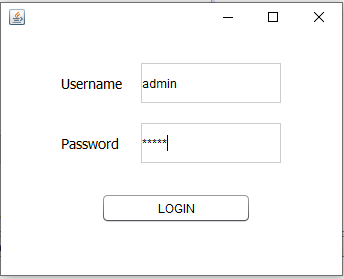
It was made in Java Swing and uses the MySQL database. It is simple to use. You just need to login in order to access the system. The system has a beautiful design.
You can change all the layouts’ color combinations based on what you like.
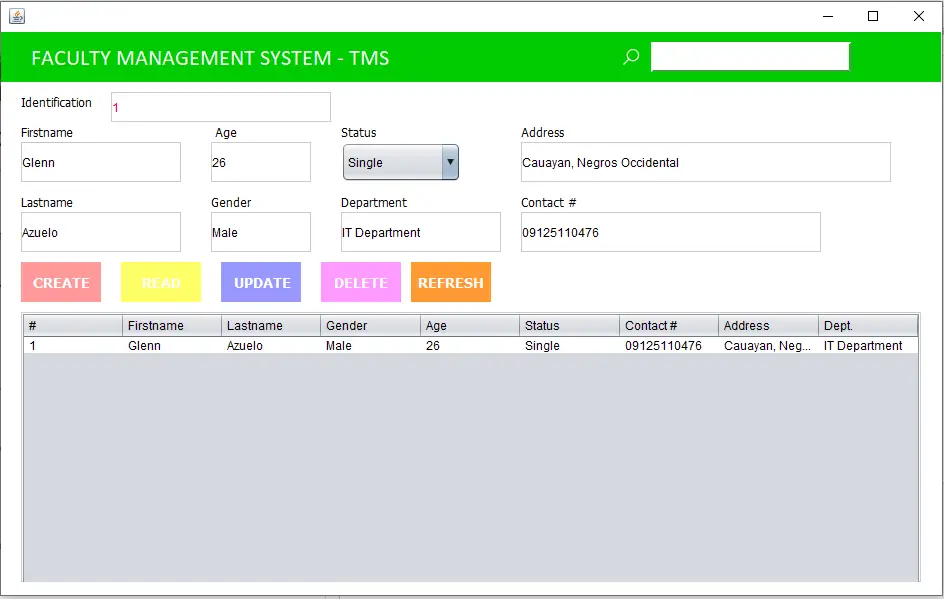
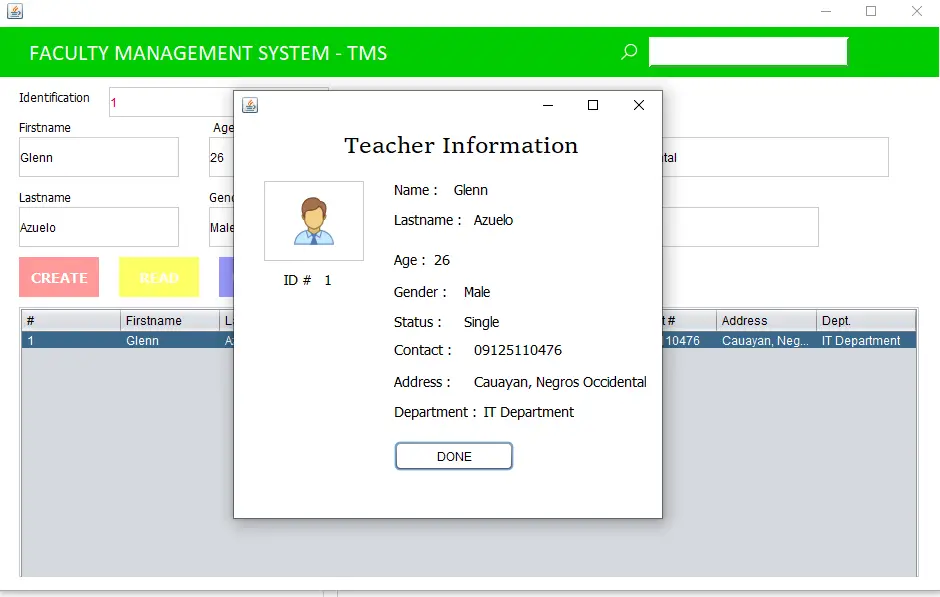
You can create new faculty records, update existing records, delete records, view all records, search records, and eventually just browse the entire system.
I hope this article can help you a lot in your journey as a Java developer.
Project Details And Technology : Faculty Management System Project In Java
| Project Name : | Faculty Management System Project In Java |
| Abstract : | This Faculty Management System Project In Java is a useful program that IT students can use to get better at writing Java code. This system is one way to keep track of faculty data in an organized way. |
| Language Used : | Java |
| IDE Used : | NetBeans 11.2 |
| Type : | Desktop Application |
| Developer : | Glenn Magada Azuelo |
Anyway, if you want to level up your programming knowledge, especially Java, try this new article I’ve made for you Best Java Projects With Source Code For Beginners Free Download.
To start executing a Faculty Management System, makes sure that you have NetBeans IDE or any platform of Java installed in your computer.
Faculty Management System Project In Java : Steps On How To Run The Project
Time needed: 5 minutes
These are the steps on how to run Faculty Management System Project In Java
- Step 1: Download source code.
First, download the source code given below.

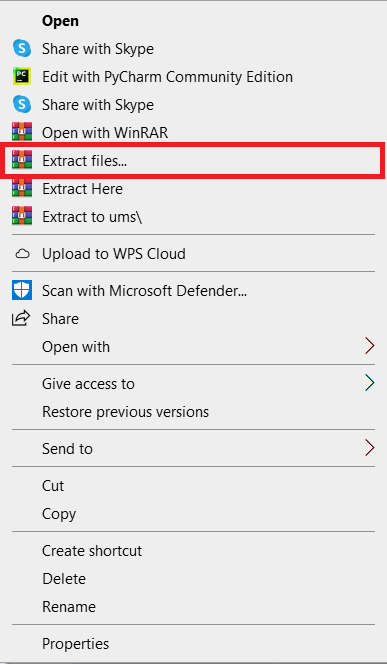
- Step 2: Extract file.
Second, after you finished download the source code, extract the zip file.

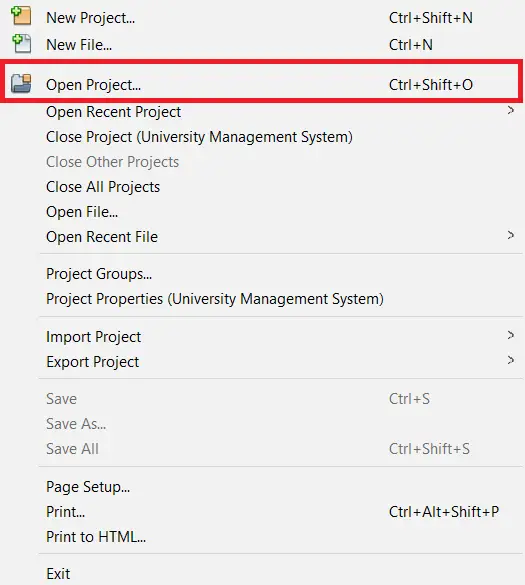
- Step 3: Click open project.
Third, open NetBeans IDE and click open project and choose your download source code.

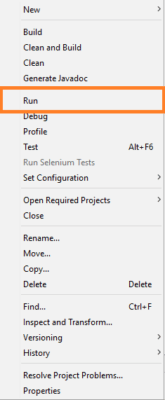
- Step 4: Run the project.
Last, right click the project folder and click run.

Download Source Code below
Summary
The Faculty Management System, is made entirely out of Java and the MySQL Database. It has a Graphical User Interface (GUI) with all of the functions that stores need to improve customer satisfaction.
This article shows us how to improve our skills and logic, which is important for using the Java programming language, which is the most popular and widely used programming language in many businesses.
You can also get the source code for this simple project for free.
Related Articles
- Component Diagram for School Management System
- Teacher Evaluation System Project in Laravel with Source Code
- College Management System Project in Node JS with Source Code
- Student Management System Project in Android Source Code
Inquiries
If you have any questions or suggestions about Faculty Management System Project In Java, please feel free to leave a comment below.
Official documentation
Frequently Asked Questions
How does this Java management system work?
Standard Java Swing architecture: JFrames with JTable for listings, JTextField / JComboBox / JDateChooser for input, JDBC parametrized SQL for data access, JasperReports for printable reports. MySQL backend. Foundation BSIT capstone scope.
What Java JDK and MySQL versions does this project require?
Most projects in this batch use Java JDK 8 or 11 with MySQL 5.7+ or MariaDB 10+. To run: install JDK (Adoptium / Oracle), install MySQL Server + MySQL Workbench, install NetBeans IDE (15+ supports modern JDK), open the project (.zip extracted folder), right-click + Open Project, add MySQL JDBC driver to Project Libraries, run.
How do I set up the database for this Java project?
Open MySQL Workbench (or phpMyAdmin if you have XAMPP), create a new empty database with the name specified in the project. Import the included .sql file via Server, Data Import in Workbench (or Import tab in phpMyAdmin). Update the connection class (usually DBConnection.java or DatabaseConnection.java) with your MySQL host, port, username, password, and database name.
Can I use this Java project for a BSIT capstone or thesis?
Yes, Java is one of the most accepted languages by Philippine BSIT panels. Extend it: add role-based access (admin/staff/customer login redirect), JasperReports printable reports, dashboards with JFreeChart, audit log, multi-branch support. Pair with Chapter 1-5 documentation matching your panel’s rubric.
Why am I getting ‘ClassNotFoundException: com.mysql.jdbc.Driver’ or ‘No suitable driver’?
Three common Java JDBC issues: (1) MySQL JDBC driver JAR not added to project Libraries. Right-click Project, Properties, Libraries, Add JAR/Folder, select mysql-connector-java-X.X.X.jar. (2) Wrong driver class name. Modern (8.0+) uses com.mysql.cj.jdbc.Driver, legacy (5.x) uses com.mysql.jdbc.Driver. (3) Connection URL missing serverTimezone parameter, add ?serverTimezone=UTC to the URL.
Where can I find more Java projects with source code?
Browse the Java Projects hub for the full library (120+ Java desktop systems). For modern Java web alternatives consider Spring Boot. For other desktop stacks see VB.NET Projects or C# Projects. For BSIT capstone idea lists see 150 Best Capstone Project Ideas.

Glenn Azuelo
Programmer & Technical Writer at PIES IT Solution
Glenn Azuelo is a programmer and writer at PIES IT Solution, author of 40+ PHP tutorials, Java capstone projects, and Python game guides at itsourcecode.com. Specializes in PHP built-in functions (string manipulation, arrays, filesystem, magic methods), Java Windows Forms projects for BSIT capstone (chat application, POS, faculty management, memory game), and Python game programming with Pygame (chess, blackjack, dice).
Expertise: PHP · PHP Tutorials · PHP Built-in Functions · PHP String Functions · PHP Array Functions · PHP Magic Methods · Java · Java Swing · Windows Forms · Python · Pygame · Capstone Projects · View all posts by Glenn Azuelo →
i want a erd of faculty management system.
can you give me erd