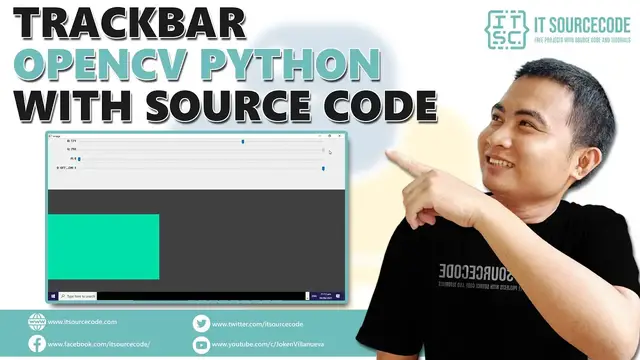

Trackbar OpenCV Python with Source Code | OpenCV Python with Source Code
Dec 13, 2021
Trackbar OpenCV Python with Source Code | OpenCV Python with Source Code
Subscribe here for More Source code & tutorials: https://bit.ly/2YdWUxU
LIKE our FB PAGE: https://www.facebook.com/itsourcecode
Official Website: https://itsourcecode.com/
Download the complete source code here: https://bit.ly/3zAEd83
Increase ad revenue 50-250% with Ezoic - https://bit.ly/2OIIPpD
Song: Ikson - Anywhere (No Copyright Music Vlog Library)
Music promoted by No Copyright Music Vlog Library.
Intro made by Prince Ly Cesar
The TrackBar OpenCV Python was developed using Python OpenCV, Trackbar is a GUI element that let the user to select a specific color value within a range of values by sliding a slider linearly. It’s similar to scrolling but it limits the user to select a specific value with its minimum and maximum limits.
What is OpenCV?
OpenCV (Open Source Computer Vision Library) is an open-source computer vision and machine learning software library. OpenCV was built to provide a common infrastructure for computer vision applications and to accelerate the use of machine perception in commercial products.
A trackbar in OpenCV provides cv2.createTrackbar() function, to read the current position of the trackbar slider you can use cv2.getTrackbarPos() function to change the position of trackbar use cv2.setTrackbarPos().
In this Python OpenCV Project also includes a downloadable Python Project With Source Code for free, just find the downloadable source code below and click to start downloading.
By the way if you are new to python programming and you don’t know what would be the the Python IDE to use, I have here a list of Best Python IDE for Windows, Linux, Mac OS that will suit for you. I also have here How to Download and Install Latest Version of Python on Windows.
To start executing TrackBar OpenCV Python With Source Code, make sure that you have installed Python 3.9 and PyCharm in your computer.
TrackBar OpenCV Python With Source Code : Steps on how to run the project
These are the steps on how to run TrackBar OpenCV Python With Source Code
Step 1: Download the given source code above.
Step 2: Import the project to your PyCharm IDE.
Step 3: Run the project.
Trackbar is a GUI element that let the user to select a specific color value within a range of values by sliding a slider linearly. It’s similar to scrolling but it limits the user to select a specific value with its minimum and maximum limits.
If you have any questions or suggestions about TrackBar OpenCV Python With Source Code, please feel free to leave a comment below.
Show More Show Less