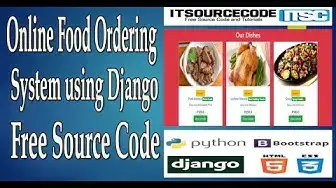

Online Food Ordering System in Django with Source Code Free Download 2021 | Django Project Projects
Dec 13, 2021

Online Food Ordering System in Django with Source Code Free Download 2021 | Django Project Projects with Source Code
Subscribe here for More Source code & tutorials: https://bit.ly/2YdWUxU
LIKE our FB PAGE: https://www.facebook.com/itsourcecode/
Official Website: https://itsourcecode.com/
Download the complete source code here: https://bit.ly/3o1Ac64
Song: Ikson - Blue Sky (No Copyright Music Vlog Library)
Music promoted by No Copyright Music Vlog Library.
Video Link: https://youtu.be/EkAMp6CkdvQ
Increase ad revenue 50-250% with Ezoic - http://www.ezoic.com/?tap_a=6413-3dac80&tap_s=782801-ea7da8
A Google Certified Publishing Partner. Learn more about Ezoic here. - http://www.ezoic.com/?tap_a=6414-d6fecf&tap_s=782801-ea7da8
Online Food Ordering System using Django with Source Code
The Online Food Ordering System using Django is created using Python Django Framework. The system is built fully in Django Framework in back-end and HTML, CSS in front-end. Django is a high-level Python Web framework encouraging rapid development and pragmatic, clean design.
This Online Food Ordering System using Django and Python Framework has an admin side and customer side where Admin can manage sales, products, categories, and food orders. The Admin plays an important role in the management of the system.
Here, the admin can manage food orders easily. For this, the system displays available dishes with its name, photo, category, price, and the user has to enter the quantity and customer’s name. The customer can order through online and can see she/his orders in the cart. The customer need to login and sign up first before they can add to the cart for their orders.
Features of Online Food Ordering System using Django
Online Food Ordering System using Django with Source Code Features for Admin Side.
Dashboard – For the admin dashboard, you will be able to all the basic access in the whole system. Such as cart items orders, items, users and categories.
Manage Items– The admin has access to the item management information system. He can add, update and delete the items.
Manage Orders – As the main functions of the admin, the admin can reject or accept from the customers on a case to case basis.
Manage Categories – For the categories, the admin has the features of managing the category. The example category used in this system is best selling foods, spicy, and new foods.
Manage Users – The admin can manage the user’s account. Admin can add, update and delete users in the system.
Login and Logout – By default one of the security features of this system is the secure login and logout system.
For Frontend Features of this Online Food Ordering System using Django
Basically, the frontend side of the system refers to the main website of the whole system.
The frontend of this Online Food Ordering System using Django has these basic features of the website.
Home Page – On the home page, you can see directly the list of foods for sale, login, logout, .
Viewing Products – by default on the frontend, the customer can automatically view all the foods, the price and description of foods.
Checkout Order – The customer can checkout order in the frontend that can confirmed by the admin in the backend.
Login and Logout – The customer need to login in the system before they can add to cart their orders and they can also logout after they finish their order.
Sign up – The customer need to sign up first before they can login into the system.
Add to Cart– One of the features of this system is that, wherein the customer can temporarily add their order in the add to cart.
Show More Show Less